

ቅጽበታዊ ገጽ እይታዎች
መግለጫ
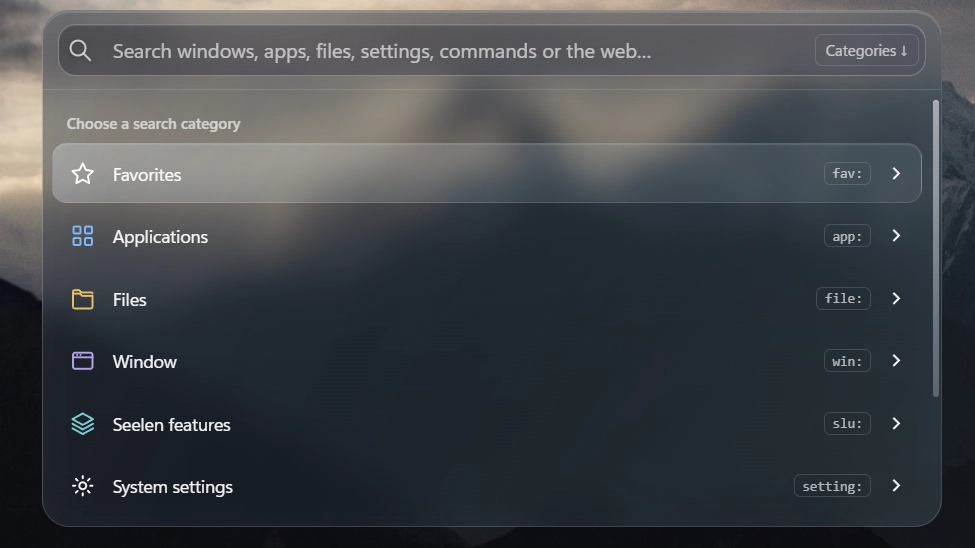
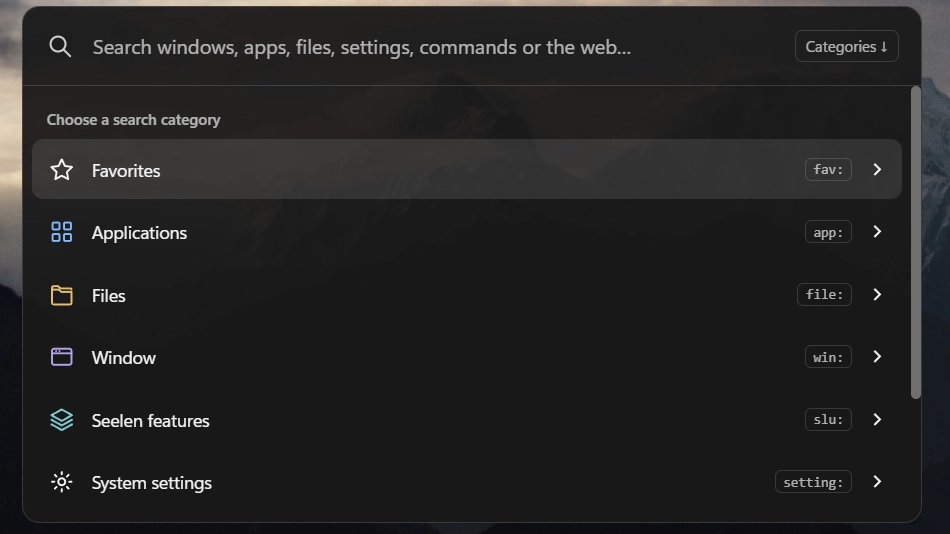
A compact command center for Seelen UI. Search applications, files from Seelen's available sources, open windows, system settings and the web; run explicit commands and control workspaces, Dock, Toolbar and installed themes. Includes favorites, local search history, personalized ranking, autocomplete and image previews. Follows Seelen's interface language (English, Traditional Chinese and Simplified Chinese; other languages fall back to English).
Latest update: Fixed an issue that prevented Command Hub from opening from the Toolbar or Dock.
Keyboard controls
Ctrl+Shift+Space: open (default; existing custom bindings are retained).↓on an empty start screen: show categories.↑/↓: select an item.→/Shift+F10: enter a category or view more options; from the input,→requires the caret at the end. Right-click or the chevron does the same.Enter: execute the selected action or toggle; use→for submenus.Tab: accept autocomplete at the end of the input; it does not navigate action pages.Ctrl+↑/↓: browse search history.Esc: restore the draft when browsing history; otherwise go back, clear or close as appropriate.Ctrl+D: add or remove the selected result from favorites.- Workspace grids: arrow keys to move,
Enterto confirm. Commands require>orrun:.
እንዴት መጠቀም እንደሚቻል?
- ማውረድ እና መጫን Seelen UI
- መተግበሪያው እየሰራ መሆኑን ያረጋግጡ
- ከላይ ያለውን የማውረድ ቁልፍን ጠቅ ያድርጉ
- ለማለፍ ዌይን ለመክፈት አሽሹን ተቀበሉ
- መተግበሪያው መጫኑን ይይዛል
- እና ያ ሁሉ ነው!
ተኳሃኝነት
- Seelen UI: 2.8.10+
- መድረክ: Windows
ተጨማሪ በ burgess1202




ተዛማጅ ሀብቶች







የመረጃ መረጃ
- ID: 45c63fef-f213-449f-9ffa-292e1a119229
- ዓይነት: ንዑስ ፕሮግራም
- ሁኔታ: ታትሟል
- የተፈጠረው በ: ረቡዕ 4 ኖቬምበር 2026 3:21:42 ጥዋት UTC
- ለመጨረሻ ጊዜ የተዘመነ በ: እሑድ 8 ኖቬምበር 2026 9:16:16 ከሰዓት UTC
- የተገመገመ በ: እሑድ 8 ኖቬምበር 2026 9:16:16 ከሰዓት UTC
- የተገመገመው በ:@eythaann