Ekran görüntüləri
Təsvir
Orbit Resources <3
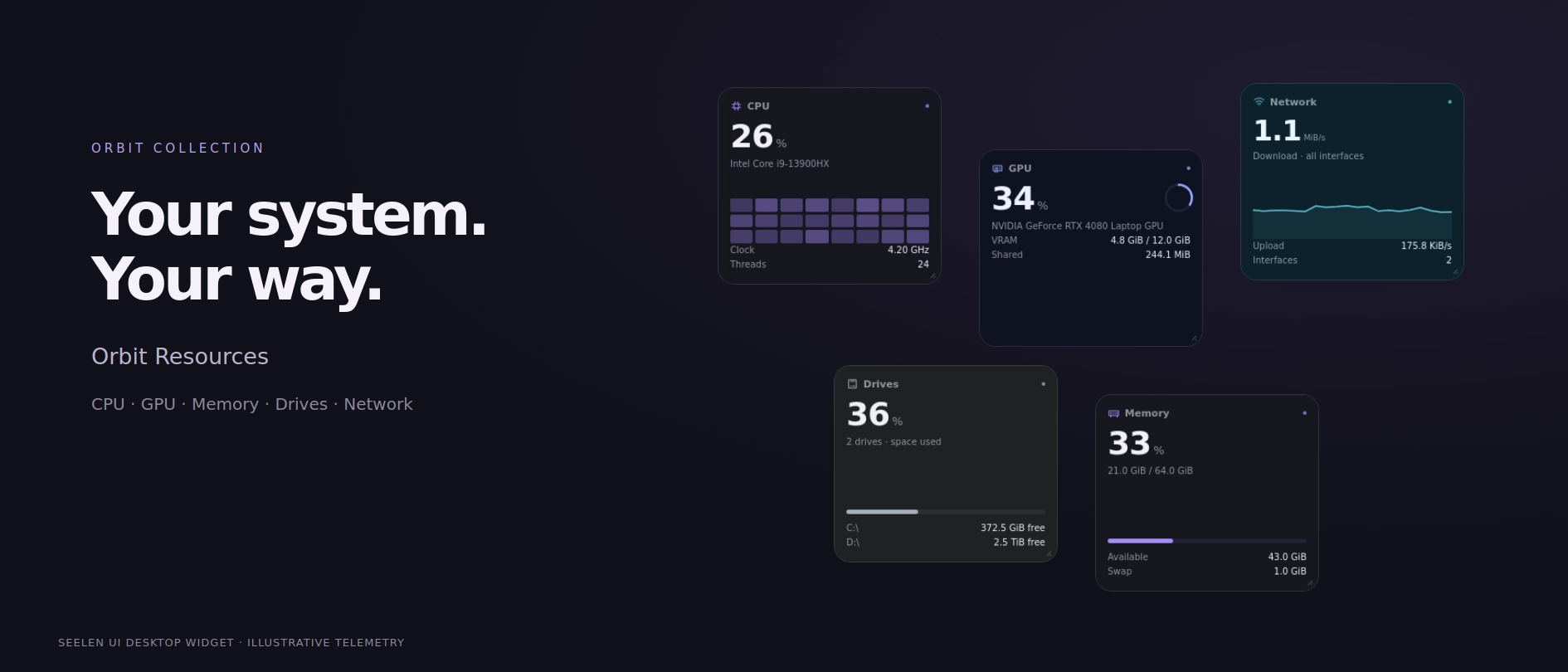
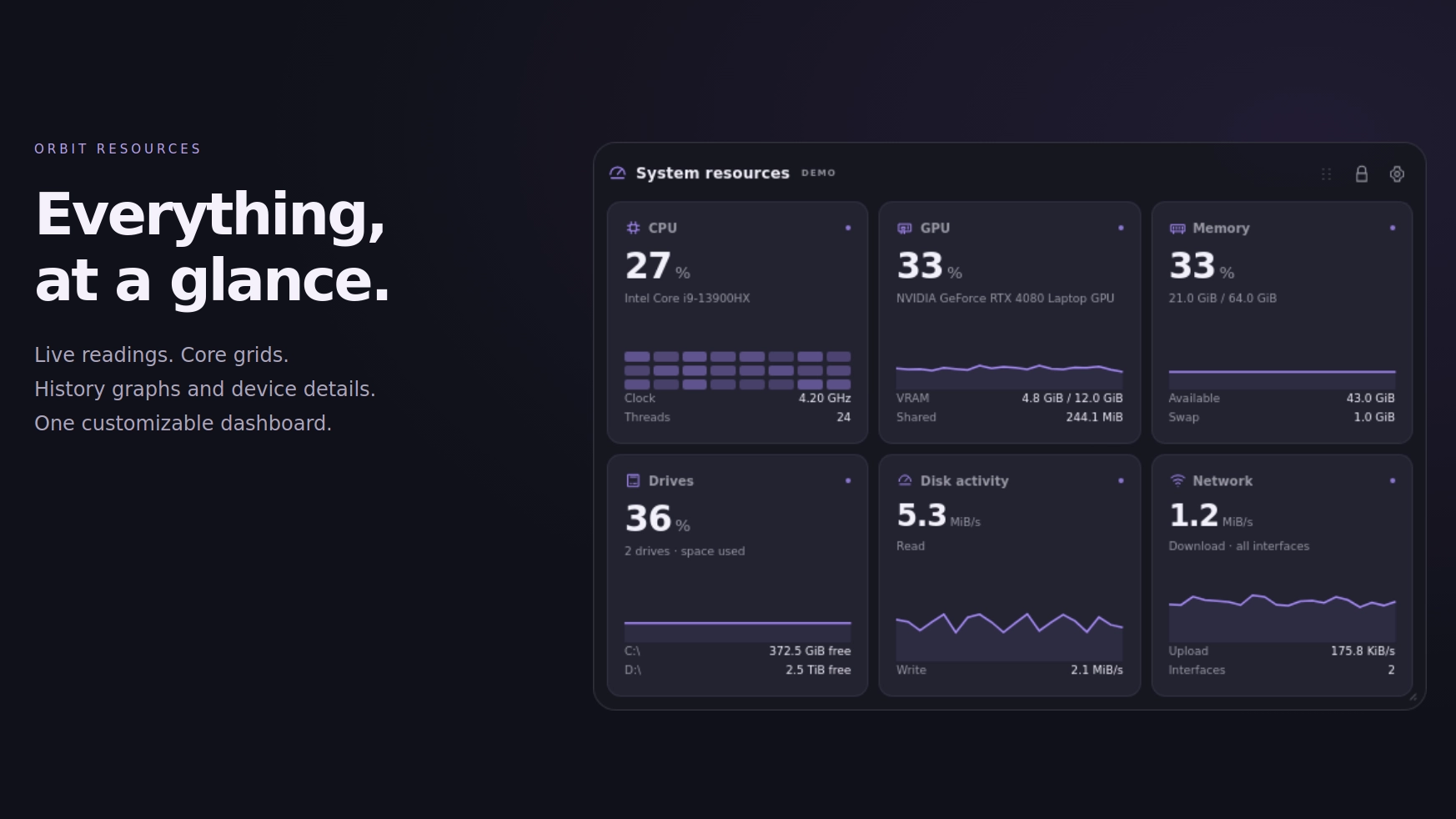
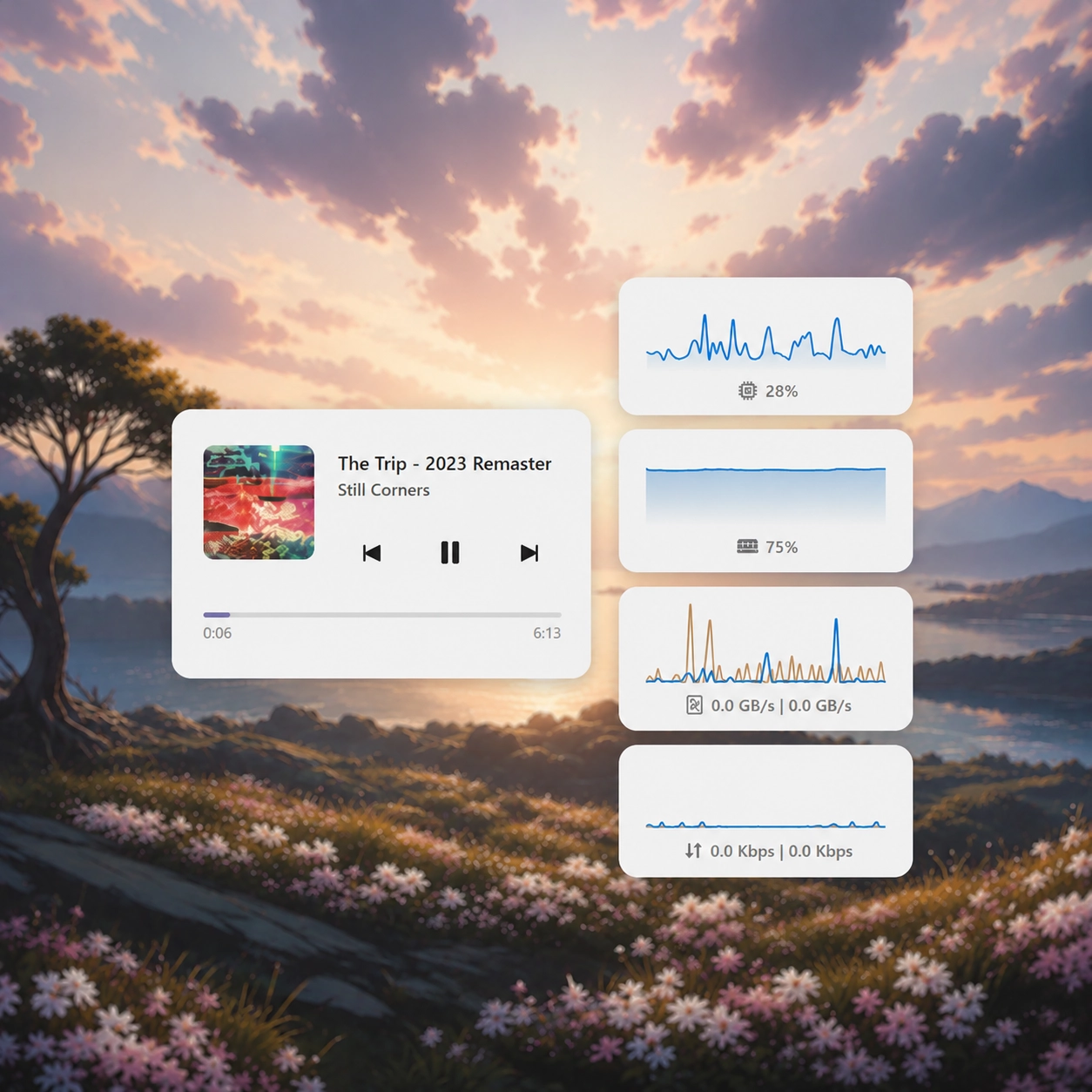
A customizable desktop system monitor for Seelen UI. Keep your readings together in one dashboard, or split them into independent mini boxes and arrange them anywhere on your desktop.
Build a minimal setup with tiny readouts, a detailed monitoring dashboard, or a mix of both. Match the Orbit collection, follow Seelen’s colors, or create your own appearance.
Features:
-
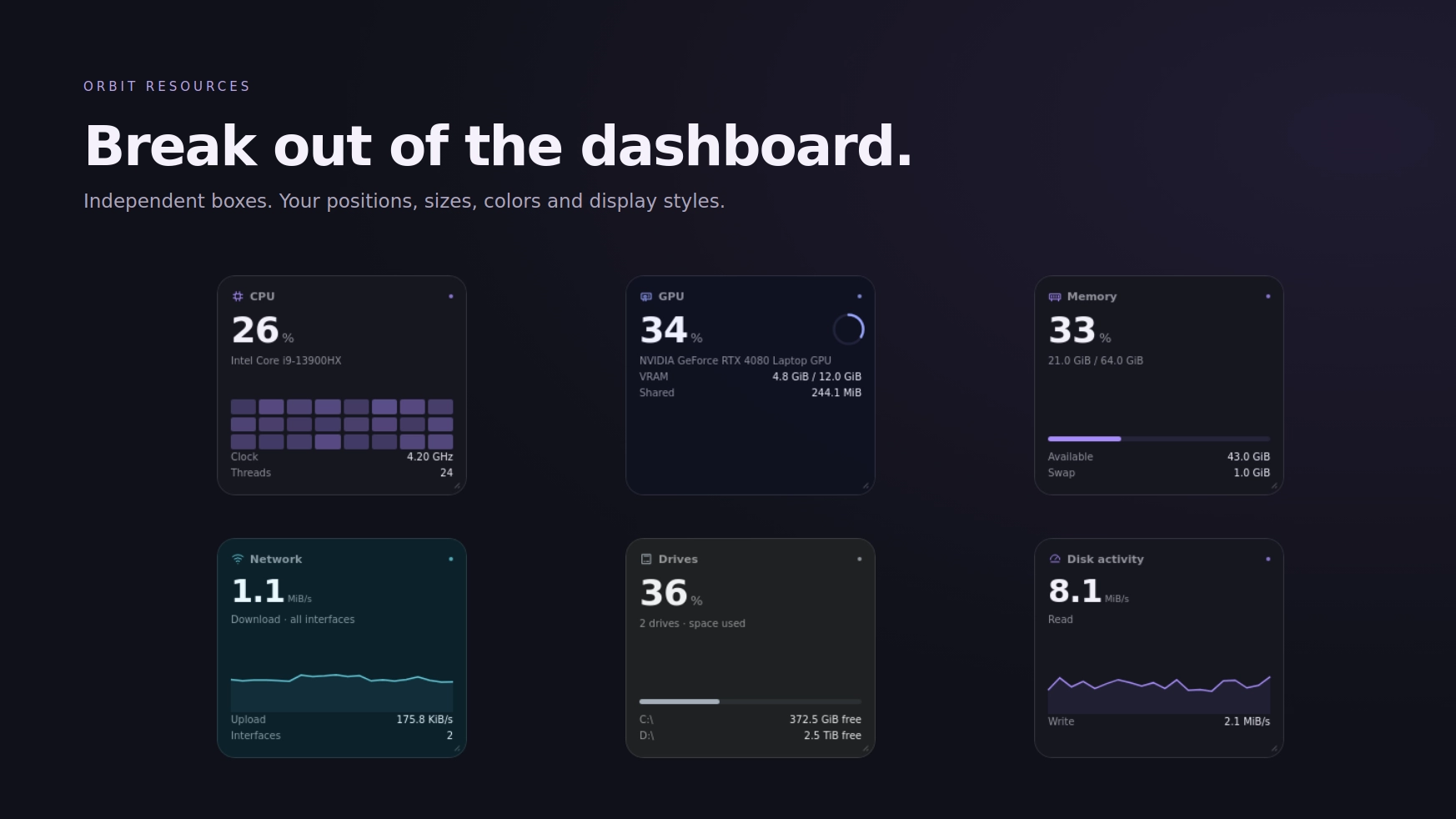
System monitoring: CPU usage and average clock, GPU usage and memory, RAM and swap, drive capacity, disk read/write activity, and network download/upload throughput.
-
Independent resource boxes: Move, resize, customize, and lock each box separately .. Bring them back together whenever you want.
-10 dashboard layouts: Bento, Grid, Stack, Strip, Ribbon, Focus, Rail, Mosaic, Minimal Row, and Tile Grid.
-
Compact views: Badge, Nano, Micro, and Tile modes for smaller desktop footprints. Readings adapt to the available space, and graphs hide when the box becomes too small.
-
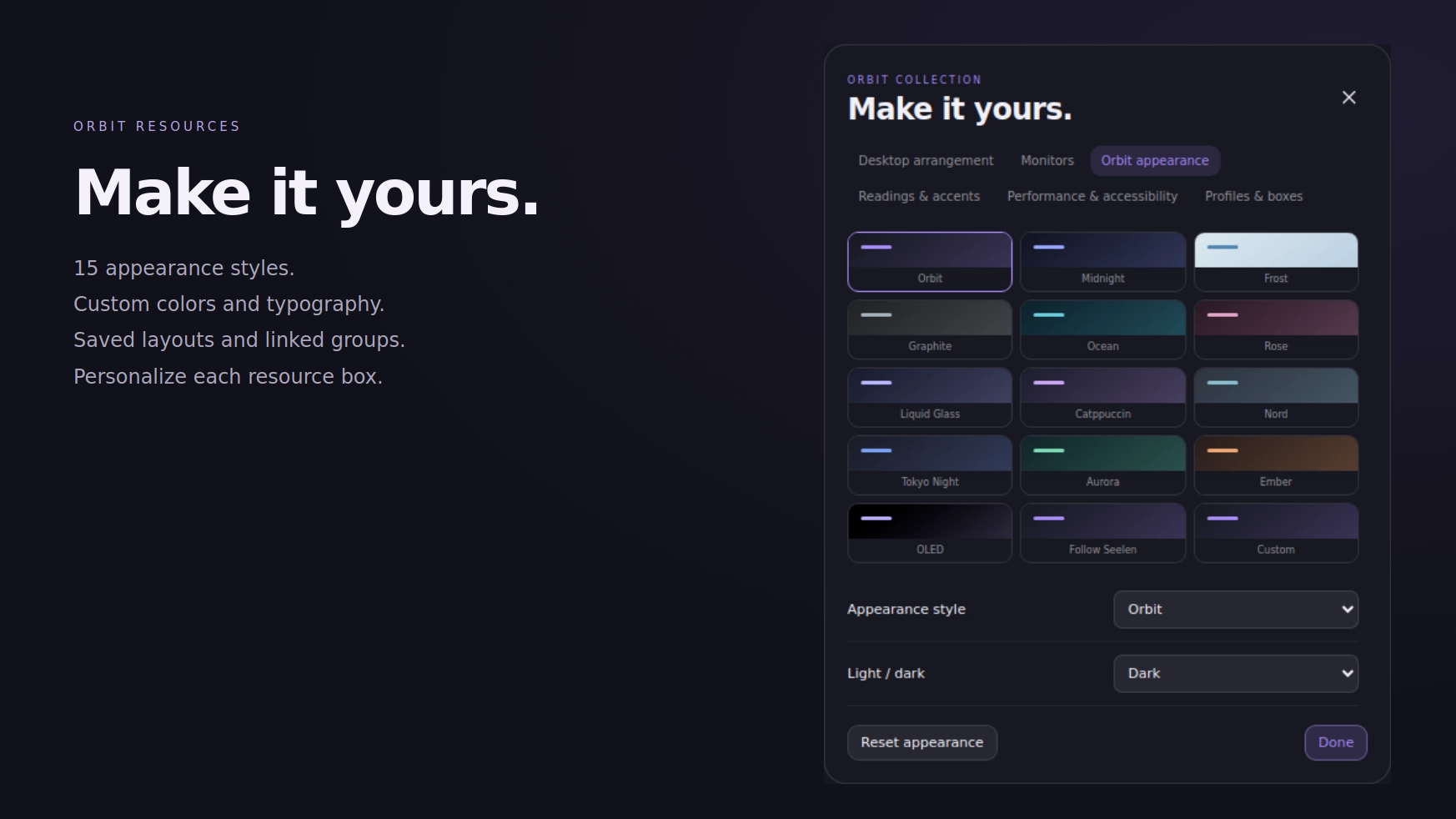
27 appearance styles: Including Orbit, Midnight, Liquid Glass, Catppuccin, Nord, Tokyo Night, OLED, Amethyst, Jade, Paper, Neon Circuit, and more.
-
8 card treatments: Soft, Outlined, Flat, Accent Edge, Floating Text, Pill, Gradient, and Instrument.
-
Individual display styles: Choose sparklines, rings, meters, numbers, or a CPU core grid for each resource.
-
Personal styling: Customize colors, accents, fonts, opacity, borders, and rounded corners .. Apply an appearance to all boxes or selected ones.
-
Desktop organization: Snap to screen edges and nearby boxes, enable an optional grid, or hold Shift to bypass snapping.
-
Expanded details: Click a reading to view its history, supporting metrics, and minimum, average, and maximum values.
-
Custom dashboard title: Keep “System resources” or replace it with your own text :)
Getting started:
Enable Orbit Resources in Seelen’s widget settings. Open Customize using the gear button, or right click a resource box.
Seelen may request configuration permission when creating boxes or saving shared layouts.
Built for the Seelen UI 2.8.9 / nightly API baseline. Available readings depend on the telemetry Seelen reports.
If you have a suggestion, found an issue or wanna request something for a future update, feel free to ask in the official SeelenUI Discord server: https://discord.com/invite/seelen-network-751144791596597561
Orbit collection :
https://seelen.io/resources/collection/5b86b663-aefd-4d5c-90ac-c6c80722080f
Necə istifadə etmək olar?
- Yükləyin və quraşdırın Seelen UI
- Tətbiqin işlədiyinə əmin olun
- Yuxarıdakı yükləmə düyməsini vurun
- Seelen UI-ni açmaq üçün brauzerin istəməsini qəbul edin
- Tətbiq qurğusu idarə edəcəkdir
- Və hamısı budur!
Uyğunluq
- Seelen UI: 2.8.9+
- Platforma: Windows
Daha çox ickyaidy



Əlaqədar mənbələr




Resurs haqqında məlumat
- ID: 7afd5429-2c25-4994-a9d0-6ab588a1c4fc
- Tip: Vidjet
- Status: Nəşr olunmuş
- Yaradılmışdır: 13 oktyabr 2026, çərşənbə axşamı/14:23:07 UTC
- Son yeniləndi: 21 oktyabr 2026, çərşənbə/05:20:46 UTC
- Rəyli: 21 oktyabr 2026, çərşənbə/05:20:46 UTC
- Tərəfindən nəzərdən keçirilmişdir:@eythaann