

स्क्रीनशॉट
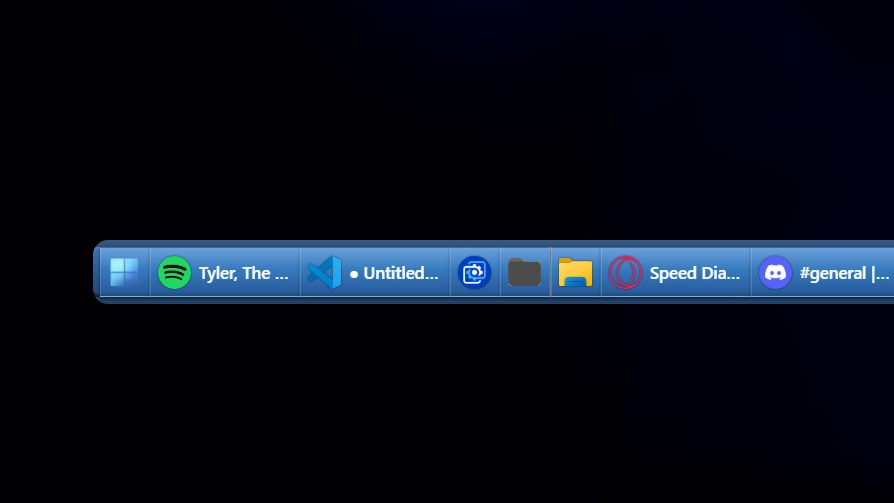
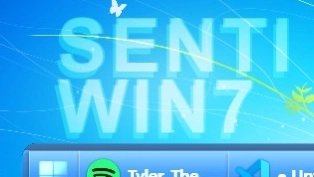
विवरण
This theme recreates the classic Windows 7-era taskbar with smooth blue gradients and subtle glass effects. It captures the familiar look and feel of that time while offering a clean, minimal design. The style focuses on usability and nostalgia with modern touches.
का उपयोग कैसे करें?
- डाउनलोड करें और इंस्टॉल करें Seelen UI
- सुनिश्चित करें कि ऐप चल रहा है
- ऊपर डाउनलोड बटन पर क्लिक करें
- सीलेन यूआई खोलने के लिए ब्राउज़र प्रॉम्प्ट को स्वीकार करें
- ऐप इंस्टॉलेशन को संभाल लेगा
- और यह सबकुछ है!
अनुकूलता
- Seelen UI: 2.3.12+
- प्लैटफ़ॉर्म: Windows
अधिक senti द्वारा




संबंधित संसाधन








संसाधन सूचना
- ID: 0d94c57c-14b6-469f-9181-53b9de5f3880
- मिलनसार पहचानकर्ता: @senti/WIN7
- प्रकार: विषय
- स्थिति: प्रकाशित
- पर बनाया गया: बुधवार, 23 जुलाई 2025 को 11:03:57 am UTC बजे
- अंतिम बार अपडेट किया गया: बुधवार, 23 जुलाई 2025 को 11:03:57 am UTC बजे
- पर समीक्षा की: गुरुवार, 24 जुलाई 2025 को 6:37:20 pm UTC बजे
- द्वारा समीक्षित:@eythaann