

Pillanatképek
Leírás
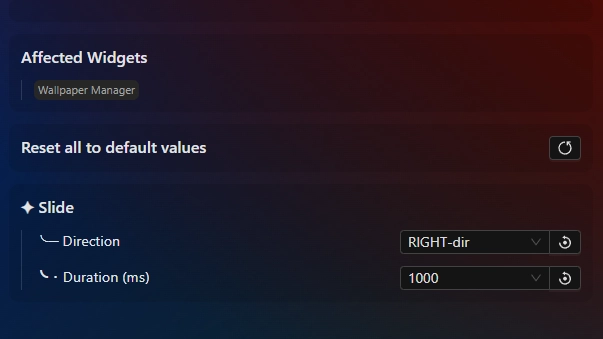
This theme makes the wallpaper switch be a slide animation. By default, the direction is downwards but you can change the direction and duration (speed) in the theme settings.
Demo: https://k-ivy.github.io/Seelen-UI-Resources/Web/wiki.html#Wallpaper-Switch-Animations
Updates:
(8/6/26)
- Link add.
(7/15/26)
- Optimzation, and fix.
Hogyan kell használni?
- Letöltés és telepítés Seelen UI
- Győződjön meg róla, hogy az alkalmazás fut
- Kattintson a fenti letöltés gombra
- Fogadja el a böngésző kérését a Seelen UI megnyitásához
- Az alkalmazás kezeli a telepítést
- És ez minden!
Kompatibilitás
- Seelen UI: 2.8.2+
- Platform: Windows
Továbbiak k-ivy


Kapcsolódó források









Forrásinformációk
- ID: e36a78e8-e8b1-448b-a824-e43788c62779
- Típus: Téma
- Állapot: Megjelent
- Létrehozva: 2025. november 24., hétfő 20:25:44 UTC
- Utolsó frissítés: 2026. augusztus 16., vasárnap 17:53:49 UTC
- Áttekintve: 2026. augusztus 16., vasárnap 17:53:49 UTC
- Felülvizsgálták:@eythaann