

스크린샷
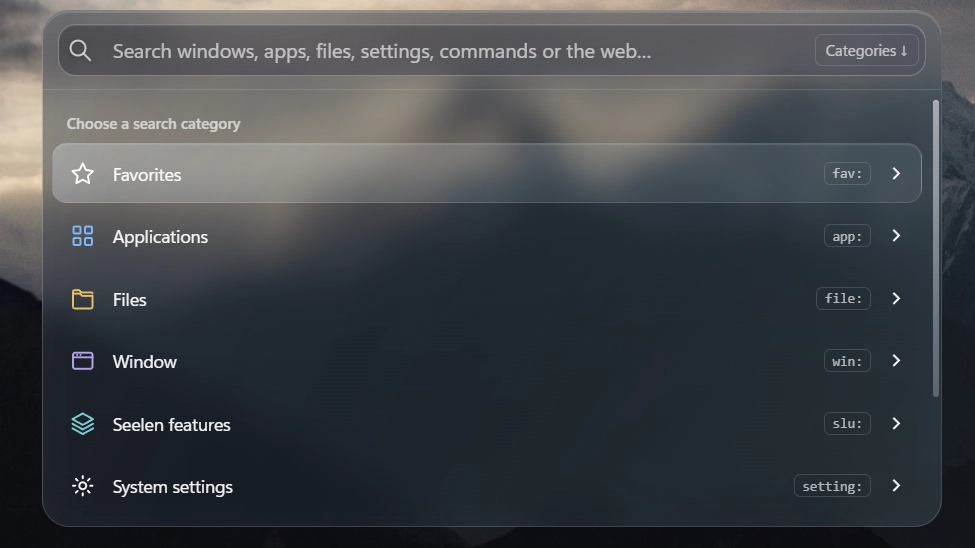
설명
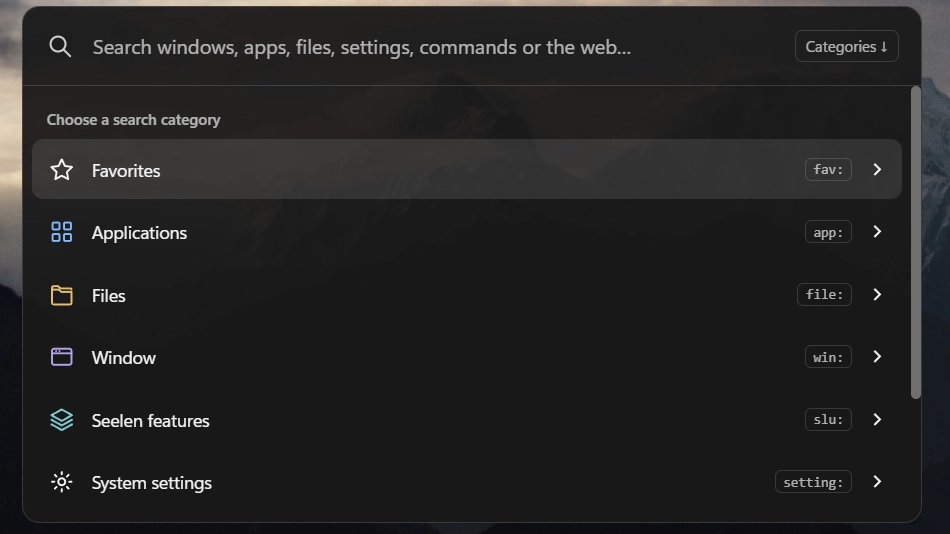
A compact command center for Seelen UI. Search applications, files from Seelen's available sources, open windows, system settings and the web; run explicit commands and control workspaces, Dock, Toolbar and installed themes. Includes favorites, local search history, personalized ranking, autocomplete and image previews. Follows Seelen's interface language (English, Traditional Chinese and Simplified Chinese; other languages fall back to English).
Latest update: Fixed an issue that prevented Command Hub from opening from the Toolbar or Dock.
Keyboard controls
Ctrl+Shift+Space: open (default; existing custom bindings are retained).↓on an empty start screen: show categories.↑/↓: select an item.→/Shift+F10: enter a category or view more options; from the input,→requires the caret at the end. Right-click or the chevron does the same.Enter: execute the selected action or toggle; use→for submenus.Tab: accept autocomplete at the end of the input; it does not navigate action pages.Ctrl+↑/↓: browse search history.Esc: restore the draft when browsing history; otherwise go back, clear or close as appropriate.Ctrl+D: add or remove the selected result from favorites.- Workspace grids: arrow keys to move,
Enterto confirm. Commands require>orrun:.
어떻게 사용하나요?
- 다운로드 및 설치 Seelen UI
- 앱이 실행 중인지 확인
- 위의 다운로드 버튼을 클릭하세요.
- 브라우저 프롬프트에 동의하여 Seelen UI를 엽니다.
- 앱이 설치를 처리합니다.
- 그게 다입니다!
호환성
- Seelen UI: 2.8.10+
- 플랫폼: Windows
더보기 burgess1202


관련 리소스








리소스 정보
- ID: 45c63fef-f213-449f-9ffa-292e1a119229
- 유형: 위젯
- 상태: 게시됨
- 만든 곳: 2026년 11월 4일 수요일 오전 3시 21분 42초 UTC
- 마지막 업데이트 날짜: 2026년 11월 8일 일요일 오후 9시 16분 16초 UTC
- 검토 장소: 2026년 11월 8일 일요일 오후 9시 16분 16초 UTC
- 검토자:@eythaann