

ພາບຫນ້າຈໍ

ລາຍລະອຽດ
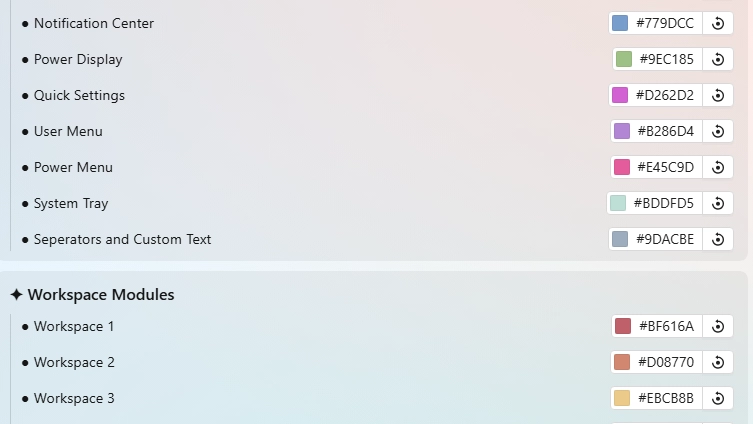
This theme allows you to indiviually color each module of the toolbar. That includes coloring every Workspace Dot, Number, or Name, diffrently. Choose whatever colors you want.
In addition, this theme has a placeholder system in place which allows you to color custom plugin modules from this theme's settings by simply switching the id of your plugin with a pre-defined one from the list on the wiki:
https://github.com/K-Ivy/Kays-SeelenUI-Themes/wiki/Toolbar-Coloring-User-Guide
UPDATES: (11/20/25) >
- Increased workspace slots to 15.
- Added power menu and new system tray module support.
- To make currently active workspace (numbered & named) clear, a border is added around it. It's color follows your per-workspace color set.
- Softer default colors & changes.
Demo: https://github.com/user-attachments/assets/d37df9f4-db75-48f0-946e-38096eb7d8d8
If you encounter some issue, you can report it to me in the following ways:
- In the #resources post on the Seelen-UI Discord.
- Create a issue post on my GitHub page: https://github.com/K-Ivy/Kays-SeelenUI-Themes
Enjoy!
ໃຊ້ແນວໃດ?
- ດາວໂຫລດແລະຕິດຕັ້ງ Seelen UI
- ໃຫ້ແນ່ໃຈວ່າແອັບ is ກໍາລັງແລ່ນຢູ່
- ກົດປຸ່ມດາວໂຫລດຂ້າງເທິງ
- ຍອມຮັບການກະຕຸ້ນຂອງຕົວທ່ອງເວັບເພື່ອເປີດ Selen Ui
- app ຈະຈັດການຕິດຕັ້ງ
- ແລະນັ້ນແມ່ນທັງຫມົດ!
ຄວາມເຂົ້າກັນໄດ້
- Seelen UI: 2.4.7+
- ຊານ: Windows
ເພີ່ມເຕີມໂດຍ k-ivy
 Dock Player Customizer
 Grid Style Tray - Hover for Label
 Grid Style Tray - Always Show Label
 Hide Media Source Icons
 Filled Window Previews
 Windows 11 Start Icon
 Windows Concept Start Icon
 Warp Start Icon
 Apple Start Icon
 NixOS Start Icon
 Dots Start Icon
 Animated Windows XP Start Icon
 Animated Vista Start Icon
 Animated Windows 10 Start Icon
 Animated Whiteout Win 7 Start Icon
 Filled Media Thumbnails
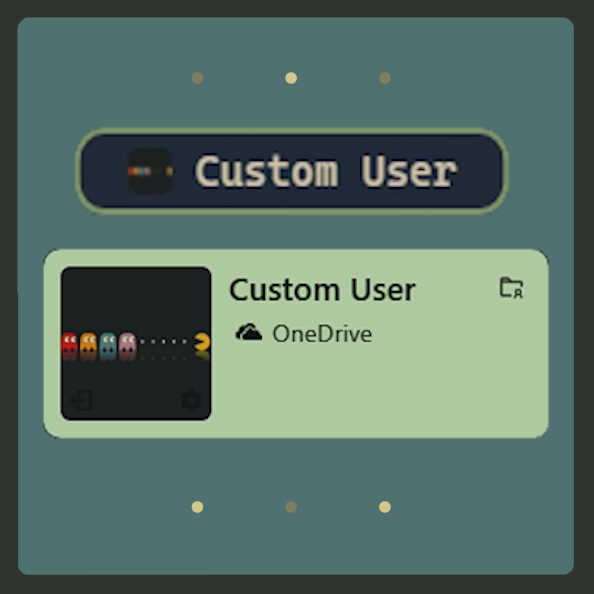 Custom Username
 Media Module Player Customizer
 Slide - Wallpaper Switch Animation
 Zoom Fade - Wallpaper Switch Animation
 Blur - Wallpaper Switch Animation
 Fade - Wallpaper Switch Animation
ຊັບພະຍາກອນທີ່ກ່ຽວຂ້ອງ








ຂໍ້ມູນຊັບພະຍາກອນ
- ID: 918ba595-e529-4f0c-8227-e72826d54ddc
- ຕົວຕົນທີ່ເປັນມິດ: @k-ivy/ftbr-mod-color
- ປະເພດ: ຫົວຂໍ້
- ສະຖານະພາບ: ເຜີຍແຜ່
- ສ້າງຂື້ນທີ່: ວັນເສົາ, 24 ພຶດສະພາ 2025, 0 ໂມງ 36 ນາທີ 26 ວິນາທີ UTC
- ອັບເດດຫຼ້າສຸດ: ວັນສຸກ, 21 ພະຈິກ 2025, 0 ໂມງ 54 ນາທີ 43 ວິນາທີ UTC
- ທົບທວນທີ່: ວັນສຸກ, 21 ພະຈິກ 2025, 0 ໂມງ 57 ນາທີ 15 ວິນາທີ UTC
- ທົບທວນໂດຍ:@k-ivy