

Ekrānšāviņi
Apraksts
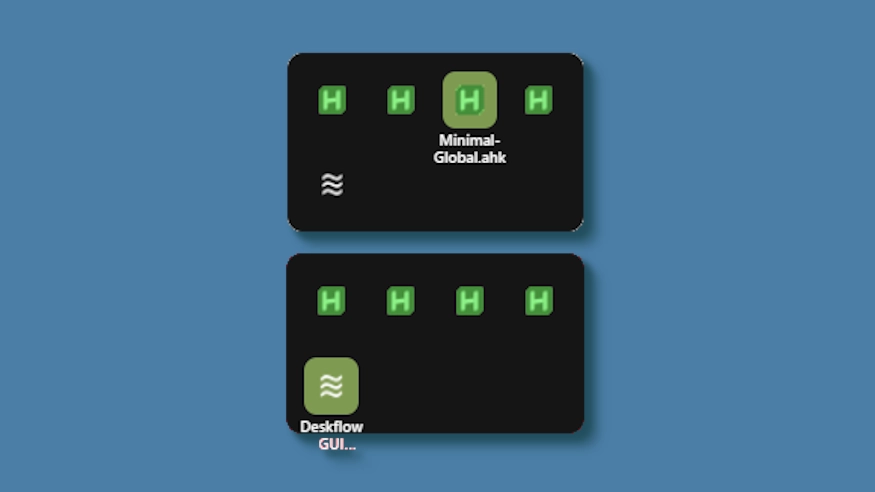
This theme changes the system tray menu to be grid-based like windows, the labels revealed on hover.
Demo: https://github.com/user-attachments/assets/ecac5a81-957d-419d-a447-3029ea0af218
Updates:
(8/6/26)
- Link add.
(3/3/26)
- Cells no longer stretch (width) to fill empty space. Cells are always the exact width and height set, so no more ugly spacing.
- The tray will now only be as big as needed — no empty space when there are fewer icons than the configured column limit.
- Labels properly appear outside the bounds of the tray.
- Various new options to be able to control the layout.
Kā lietot?
- Lejupielādēt un instalēt Seelen UI
- Pārliecinieties, vai darbojas lietotne
- Noklikšķiniet uz augšpusē esošās lejupielādes pogas
- Piekrītu pārlūkprogrammas aicinājumam atvērt Seelen UI
- Programma nodrošinās instalēšanu
- Un tas ir viss!
Savietojamība
- Seelen UI: 2.8.2+
- Platforma: Windows
Vairāk ar k-ivy


Saistītie resursi









Informācija par resursiem
- ID: bc3dfebc-f534-4e0e-b08d-ef3744694138
- Tips: Tēma
- Statuss: Publicēts
- Izveidots pie: otrdiena, 2025. gada 6. maijs 02:48:26 UTC
- Pēdējo reizi atjaunināts: piektdiena, 2026. gada 14. augusts 19:48:25 UTC
- Pārskatīts: piektdiena, 2026. gada 14. augusts 19:48:25 UTC
- Pārskatīja:@eythaann