

Zrzuty ekranu
Opis
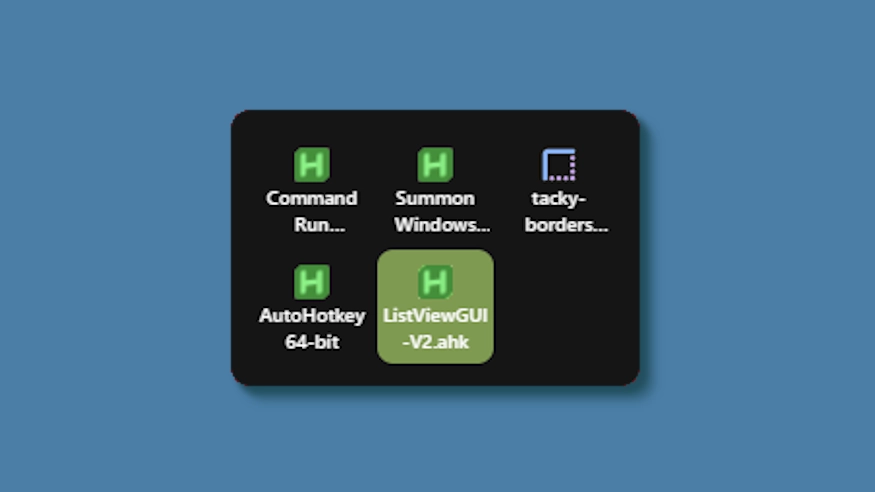
This theme changes the system tray menu to be grid-based like windows, the labels always shown.
Updates:
(8/6/26)
- Link add.
(7/16/26)
- Changed method a bit - no more alignment issues (~ with defaults).
- Letter thickness and case options added. Some options removed (hardcoded defaults).
- Settings lightly restructured and wording updated.
(3/3/26)
- Cells no longer stretch (width) to fill empty space. Cells are always the exact width and height set, so no more ugly spacing.
- The tray will now only be as big as needed — no empty space when there are fewer icons than the configured column limit.
- Various new options to be able to control the layout.
Jak używać?
- Pobierz i zainstaluj Seelen UI
- Upewnij się, że aplikacja jest uruchomiona
- Kliknij przycisk pobierania powyżej
- Zaakceptuj monit przeglądarki, aby otworzyć Seelen UI
- Aplikacja zajmie się instalacją
- I to wszystko!
Kompatybilność
- Seelen UI: 2.8.2+
- Platforma: Windows
Więcej według k-ivy


Powiązane zasoby









Informacje o zasobach
- ID: 5ed0eb93-85c7-46ac-ba8c-5b4e65086c55
- Typ: Temat
- Status: Opublikowano
- Utworzono w: wtorek, 6 maja 2025 03:08:12 UTC
- Ostatnia aktualizacja: niedziela, 16 sierpnia 2026 15:35:18 UTC
- Recenzowane na: niedziela, 16 sierpnia 2026 15:35:18 UTC
- Recenzja:@eythaann