

سکرین شاټونه
تفصیل
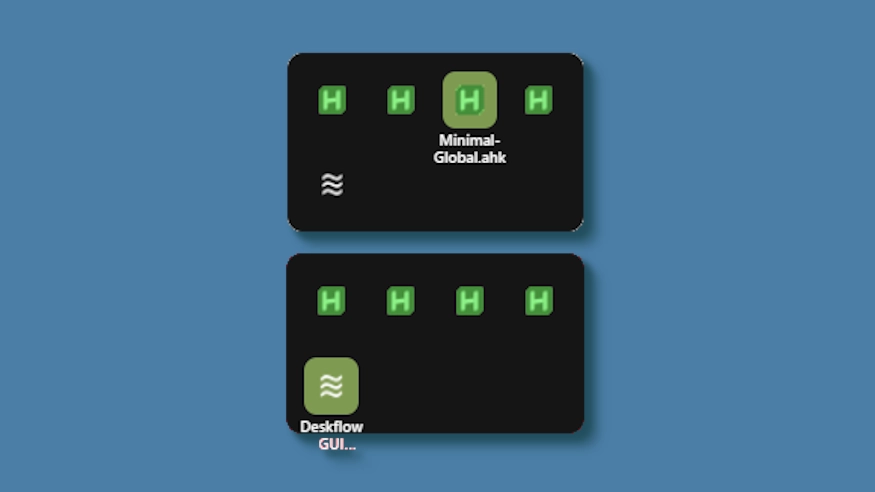
This theme changes the system tray menu to be grid-based like windows, the labels revealed on hover.
Demo: https://github.com/user-attachments/assets/ecac5a81-957d-419d-a447-3029ea0af218
Updates:
(8/6/26)
- Link add.
(3/3/26)
- Cells no longer stretch (width) to fill empty space. Cells are always the exact width and height set, so no more ugly spacing.
- The tray will now only be as big as needed — no empty space when there are fewer icons than the configured column limit.
- Labels properly appear outside the bounds of the tray.
- Various new options to be able to control the layout.
څنګه کارول کیږي؟
- ډاونلوډ او نصب کړئ Seelen UI
- ډاډ ترلاسه کړئ چې اپلیکیشن روان دی
- پورته د ډاونلوډ تڼۍ کلیک وکړئ
- د سیلین UI خلاصولو لپاره د براوزر پرامپټ ومنئ
- ایپ به انسټالشن اداره کړي
- او دا ټول دي!
مطابقت
- Seelen UI: 2.8.2+
- پلیټ فارم: Windows
نور د k-ivy لخوا


اړوند سرچینې









د سرچینو معلومات
- ID: bc3dfebc-f534-4e0e-b08d-ef3744694138
- ډول: موضوع
- حالت: خپور شوی
- جوړ شوی: AP ۱۴۰۴ غویی ۱۶, درېنۍ په ۲:۴۸:۲۶ (UTC)
- وروستی تازه شوی: AP ۱۴۰۵ زمری ۲۳, جمعه په ۱۹:۴۸:۲۵ (UTC)
- بیاکتل شوی: AP ۱۴۰۵ زمری ۲۳, جمعه په ۱۹:۴۸:۲۵ (UTC)
- د:@eythaann