Shaashadda
Sifo
Orbit Resources <3
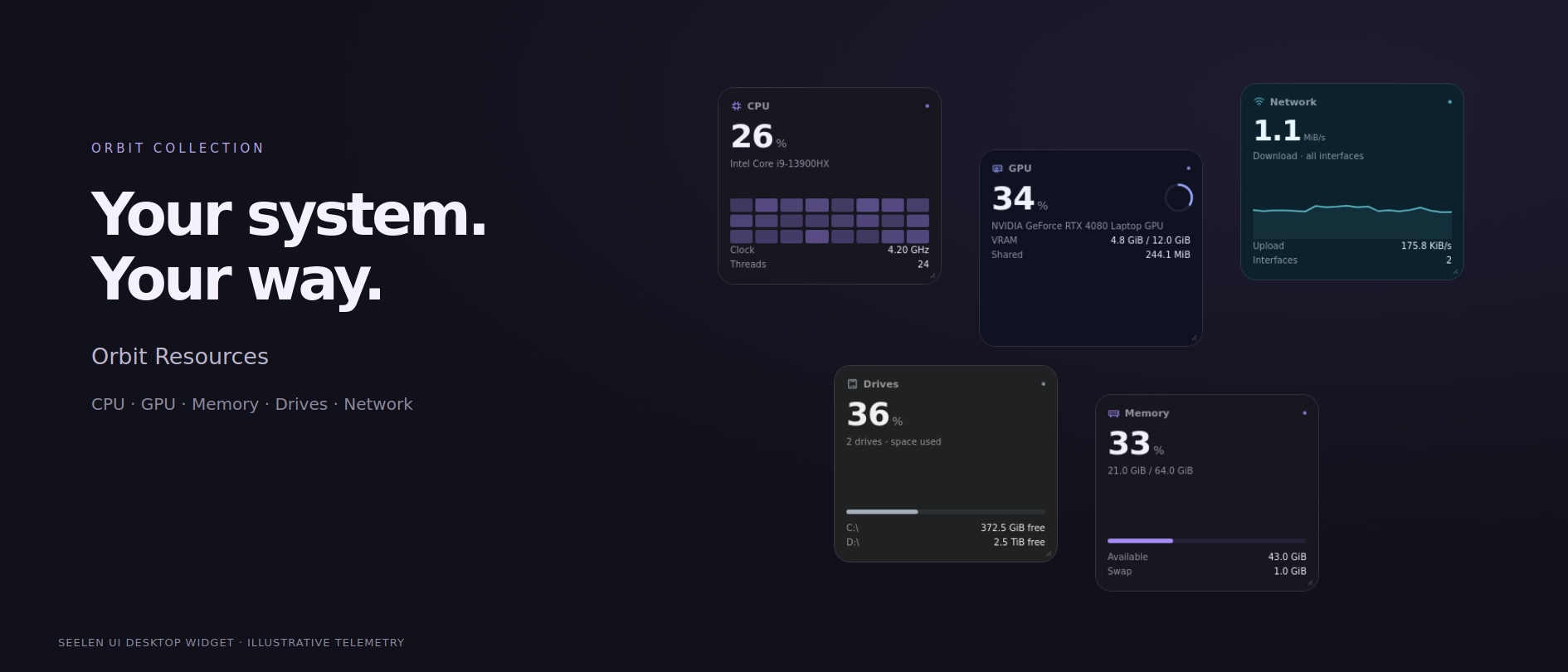
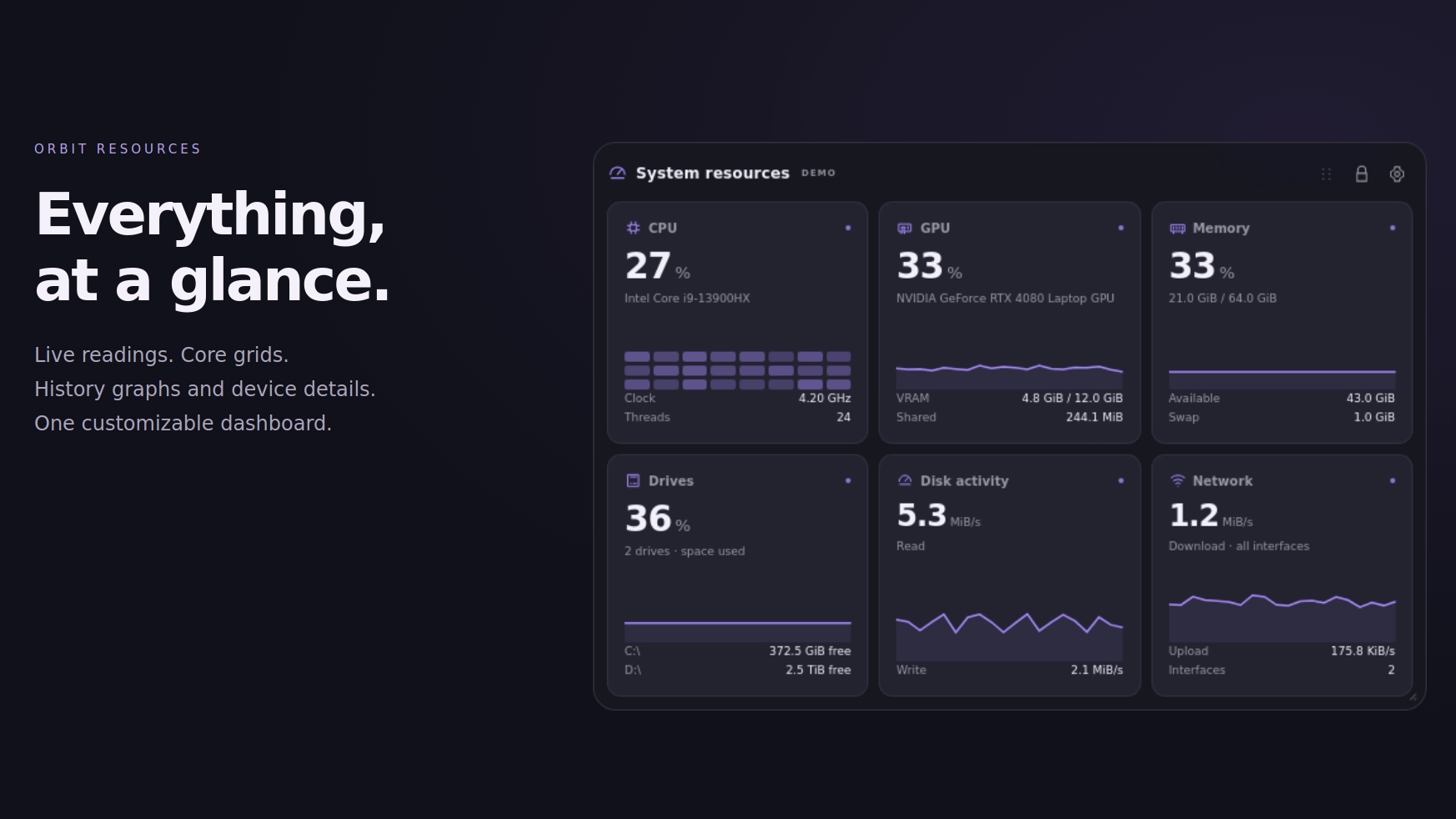
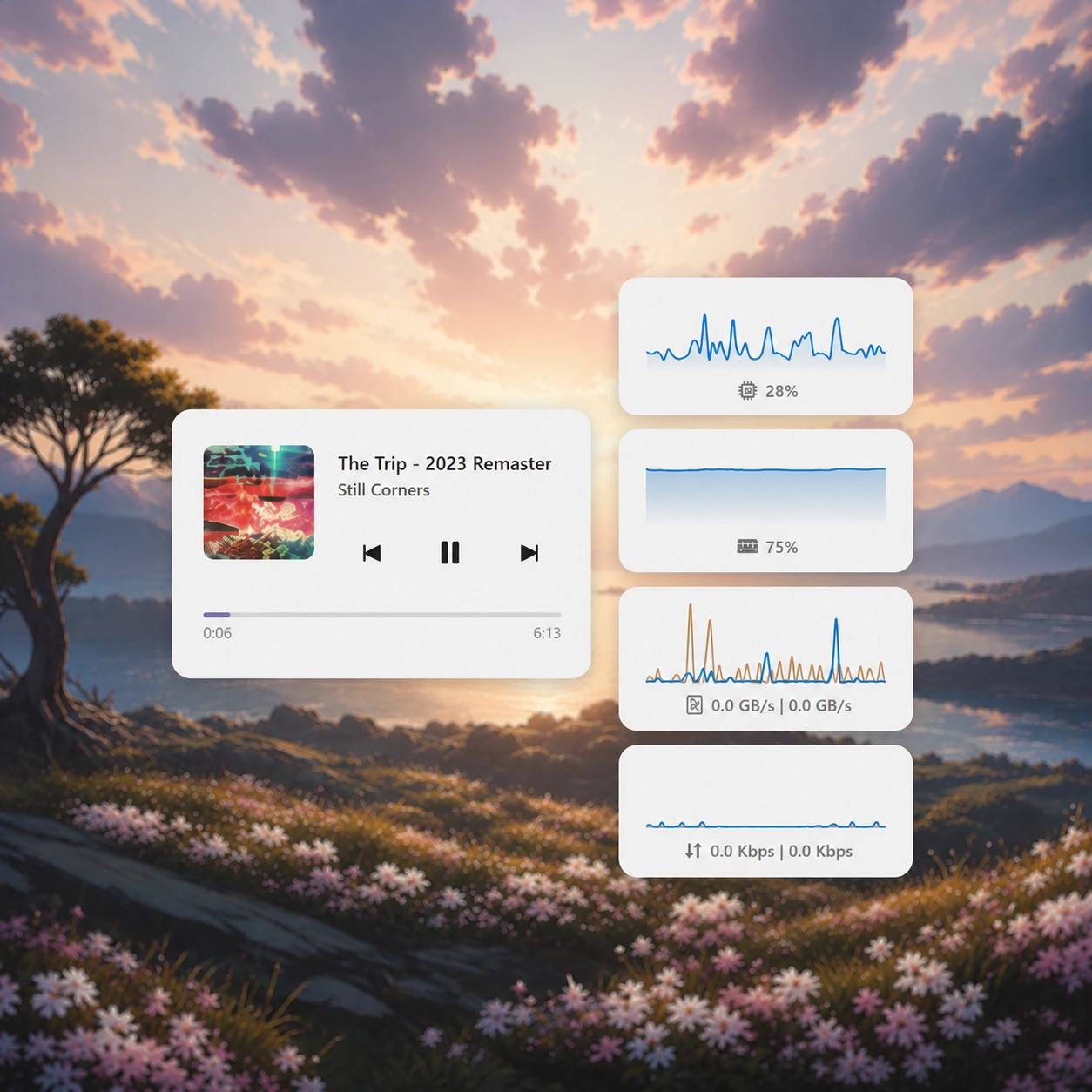
Orbit Resources is a highly customizable system monitor that brings your CPU, GPU, memory, drives, disk activity and network information together in one modern, beautifully designed interface.
Choose between a complete dashboard or separate, individually movable resource panels, with multiple layouts, live graphs, detailed readings and compact monitoring styles.
Features:
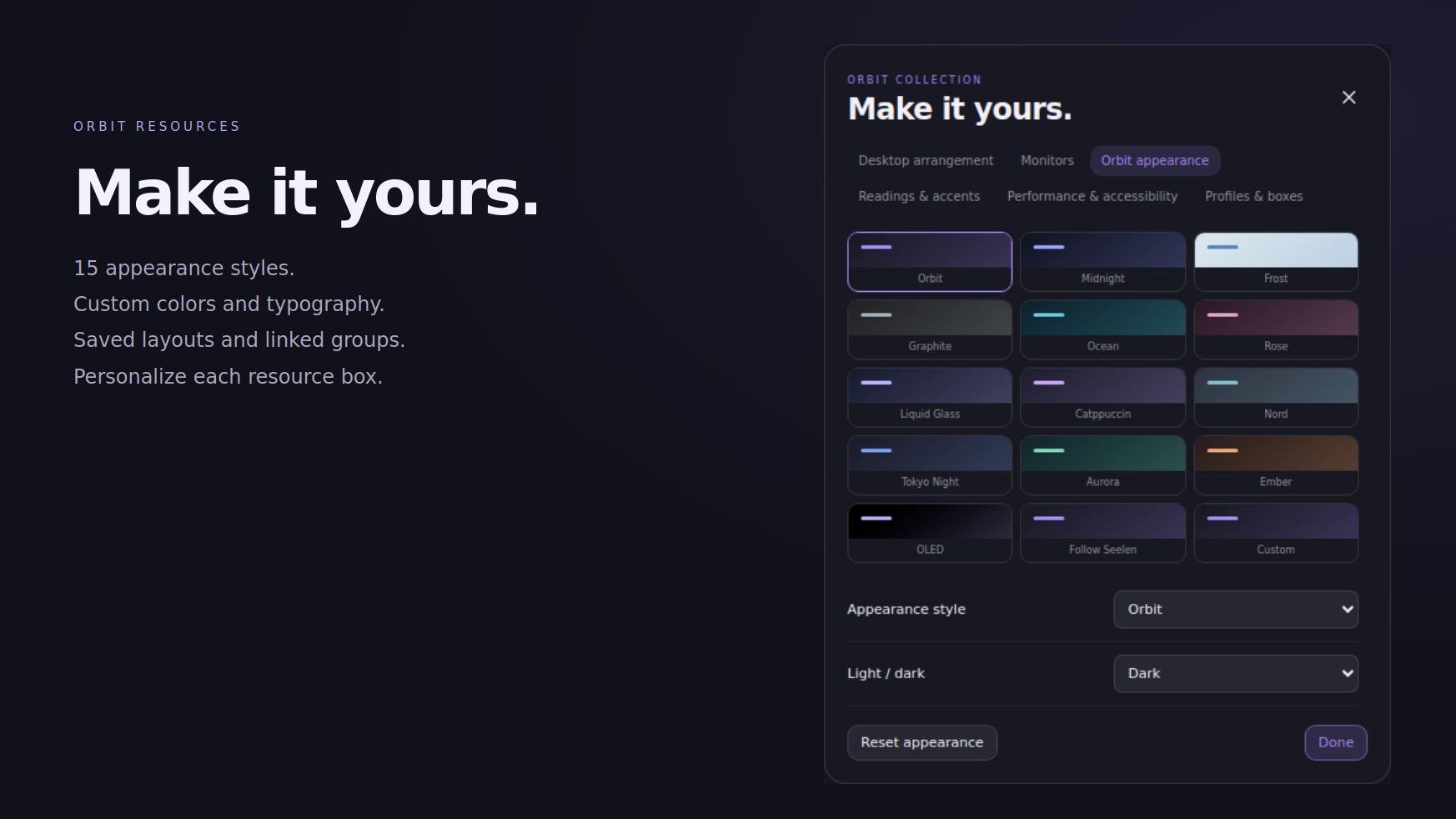
- 33 appearance presets: choose between Orbit, Midnight, Frost, Graphite, Ocean, Rose, Liquid Glass, Catppuccin, Nord, Tokyo Night, Aurora, Ember, OLED, Ivory, Sakura, Cobalt, Terminal, Amethyst, Lavender, Forest, Sage, Matcha, Turquoise, Arctic, Indigo, Plum, Crimson, Copper, Sandstone, Mocha, Slate, Citrus and Cyber.
- Matching Orbit Collection colors: use the coordinated appearance palettes shared with other supported Orbit resources.
- Liquid Glass: translucent monitoring panels with adjustable opacity, soft reflections, subtle highlights and matching interface controls.
- Light and dark appearances: choose light mode, dark mode or automatically follow SeelenUI.
- Accent integration: follow SeelenUI, use the Windows accent or choose supported custom colors.
- Consistent visual styling: graphs, resource cards, labels, settings, details and controls adapt to the chosen appearance.
- CPU monitoring: display processor utilization, supported clock information and other available CPU statistics.
- GPU monitoring: view graphics card utilization, available memory information and supported GPU telemetry.
- Memory monitoring: track RAM usage, available memory and other supported memory statistics.
- Drive monitoring: display connected storage devices, total capacity, used space and remaining storage.
- Disk activity: monitor available disk read and write speeds with live readings.
- Network monitoring: track upload and download speeds using real-time measurements and graphs.
- Additional hardware information: optionally display supported temperatures, power readings and other available system telemetry.
- Live history graphs: visualize changing resource activity over time instead of relying on numbers alone.
- Multiple dashboard layouts: choose from 10 available layouts designed for different screen sizes, information density and visual preferences.
- Unified dashboard: display enabled resource categories together in one organized monitoring interface.
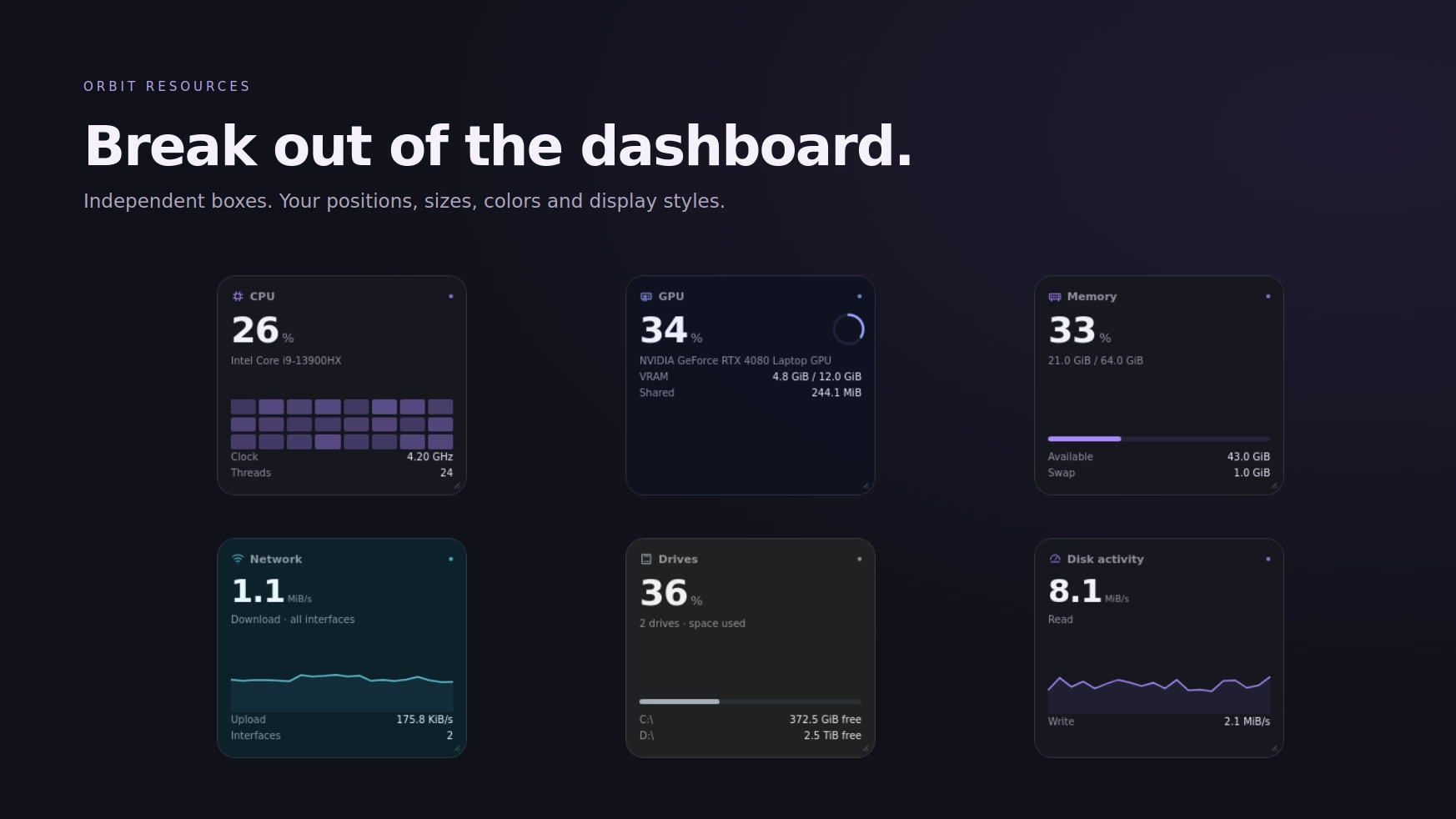
- Split mode: separate resources into independent panels that can be moved and arranged around your desktop.
- Draggable resource panels: position individual resource boxes wherever you prefer using their movement controls.
- Resizable panels: adjust supported panel dimensions to fit different desktop arrangements.
- Compact monitoring: use smaller layouts when you want essential information without occupying too much screen space.
- Multiple reading styles: choose between Badge, Nano, Micro, Tile and other available visual presentations.
- Detailed dashboards: display additional statistics, graphs, labels and available device information.
- CPU Core Grid: view supported processor core activity in a compact grid-based presentation.
- Different visual indicators: display available resource activity through numbers, meters, rings, bars, sparklines and other supported designs.
- Numbers only presentations: keep things simple by displaying essential values without additional visual elements.
- Individual resource visibility: enable or disable CPU, GPU, memory, drives, disk activity and network readings separately.
- Reading details: customize which additional information should appear for each supported resource.
- Device names: optionally display processor, graphics card, storage and network device information.
- Drive selection: choose which available storage devices should appear in your monitoring setup.
- Network adapter selection: customize supported network interfaces and their displayed activity.
- Upload and download readings: display separate network transfer values in supported layouts.
- Customizable graphs: adjust the available graph presentation and history display preferences.
- Resource ordering: rearrange enabled readings to match your preferred dashboard layout.
- Responsive sizing: resource cards, numbers, labels and graphs adapt to supported widget sizes.
- Lock mode: prevent accidental movement or rearrangement after positioning your resource panels.
- Always on top: optionally keep supported monitoring panels visible above ordinary application windows.
- Overlay mode: use a transparent monitoring presentation that can remain visible without dominating your desktop.
- Click through mode: allow mouse interactions to pass through supported resource overlays.
- Opacity controls: adjust supported backgrounds and overlay transparency to suit your wallpaper.
- Pin controls: customize supported pinned monitoring behavior.
- Live settings preview: see supported appearance and layout changes while adjusting the widget.
Getting started :
Install Orbit Resources from Seelen's resource website and enable it in SeelenUI.
Open the widget's customization controls or head to SeelenUI → Widgets → Orbit Resources to access its available settings.
Choose between Unified and Split modes depending on how you want your system information arranged.
Unified mode keeps your enabled readings together inside one dashboard, while Split mode lets you position and resize individual resource panels around your desktop.
Select which resources you want to display, then customize their reading styles, history graphs, device information and optional details.
For a compact monitoring setup, try Badge, Nano, Micro or another smaller layout.
If you prefer more information, choose a larger dashboard with detailed readings and history graphs.
Use the appearance settings to choose one of the 33 presets, customize the accent or adjust Liquid Glass transparency.
You can also configure resource ordering, available drives, network interfaces and other supported monitoring preferences.
For an overlay-style setup, enable the available transparency, always-on-top or click-through options.
Once everything is positioned, enable Lock to prevent accidentally moving your panels.
A few things to know:
Orbit Resources relies on system information provided through SeelenUI and supported Windows monitoring APIs.
Available readings depend on your hardware, drivers, permissions and the telemetry exposed by SeelenUI.
Some advanced GPU information, temperatures, fan speeds, power consumption and other hardware statistics may not be available on every computer.
Disk and network readings depend on the available transfer information and update frequency of the underlying data source.
Click through mode allows mouse interactions to pass through supported overlays, so normal clicking may be unavailable until the option is disabled through the appropriate settings or controls.
Always on top behavior may vary with fullscreen games, protected applications or unusual Windows configurations.
Live graphs and monitoring updates use system resources. For a lighter experience, choose a compact layout, display fewer readings or disable unnecessary visual effects.
Designed for SeelenUI 2.8.10 or later.
If you have a suggestion, found an issue or wanna request something for a future update, feel free to ask in the official SeelenUI Discord server: https://discord.com/invite/seelen-network-751144791596597561 Specifically in this channel : https://discord.com/channels/751144791596597561/1560624521176817664
Orbit collection :
https://seelen.io/resources/collection/5b86b663-aefd-4d5c-90ac-c6c80722080f
Sidee loo istcimaalaa?
- Soo dejiso oo rakib Seelen UI
- Hubso in barnaamijku shaqeynayo
- Guji badhanka soo dejinta ee kore
- Aqbalo biraawsarka si aad u furato SELEN UI
- Barnaamijku wuxuu wax ka qaban doonaa rakibaadda
- Taasina waa intaas oo dhan!
Waadho
- Seelen UI: 2.8.11+
- Boosteejo: Windows
Inbadan oo ickyaidy

Kheyraadka la xiriira



Macluumaadka Kheyraadka
- ID: 7afd5429-2c25-4994-a9d0-6ab588a1c4fc
- Teeb ku qorid: Widget
- Darajo: La daabacay
- Lagu abuuray at: Talaado, Oktoobar 13, 2026 ee 2:23:07 GD Waqtiga UTC
- Markii ugu dambeysay ee la cusbooneysiiyay: Khamiis, Noofeembar 19, 2026 ee 10:34:59 GH Waqtiga UTC
- Dib loo eegay at: Khamiis, Noofeembar 19, 2026 ee 10:34:59 GH Waqtiga UTC
- Dib u eegay by:@eythaann