Mga screenshot
Paglalarawan
Orbit Theme <3
Orbit Theme is a fully customizable visual makeover for SeelenUI, bringing the toolbar, dock, application menus, notifications, popups and other supported interface elements together with a modern, cohesive design.
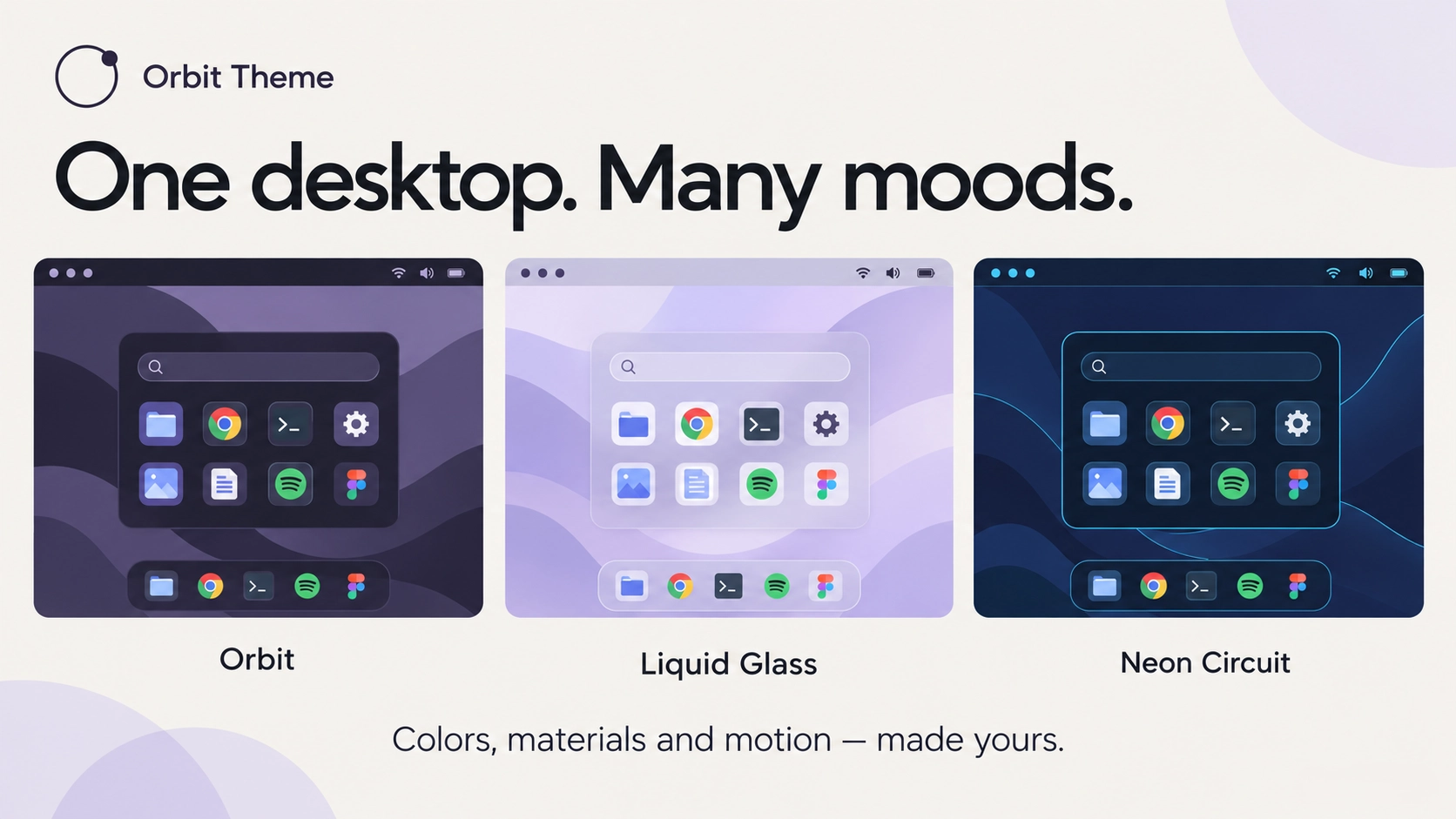
CChoose from 33 carefully coordinated appearances, customize shapes and transparency, experiment with glass inspired surfaces or give your desktop a little movement with animated backgrounds.
And if you're using other resources from the Orbit Collection, the theme can help bring their appearances together too <3
Features:
- Complete visual customization: personalize SeelenUI's toolbar, dock, application menus, notifications, popups, context menus, tooltips and other supported interface elements.
- 33 appearance presets: choose between Orbit, Midnight, Frost, Graphite, Ocean, Rose, Liquid Glass, Catppuccin, Nord, Tokyo Night, Aurora, Ember, OLED, Ivory, Sakura, Cobalt, Terminal, Amethyst, Lavender, Forest, Sage, Matcha, Turquoise, Arctic, Indigo, Plum, Crimson, Copper, Sandstone, Mocha, Slate, Citrus and Cyber.
- Coordinated Orbit Collection colors: use matching color palettes across supported Orbit resources for a consistent desktop appearance.
- Light and dark appearances: choose light mode, dark mode or automatically follow SeelenUI.
- Accent integration: follow SeelenUI, use the Windows accent, match your selected appearance preset or choose your own accent color.
- Toolbar customization: personalize its shape, colors, background, transparency, borders, highlights and supported visual effects.
- Dock customization: independently adjust the dock's appearance, including shape, background, transparency, spacing and effects.
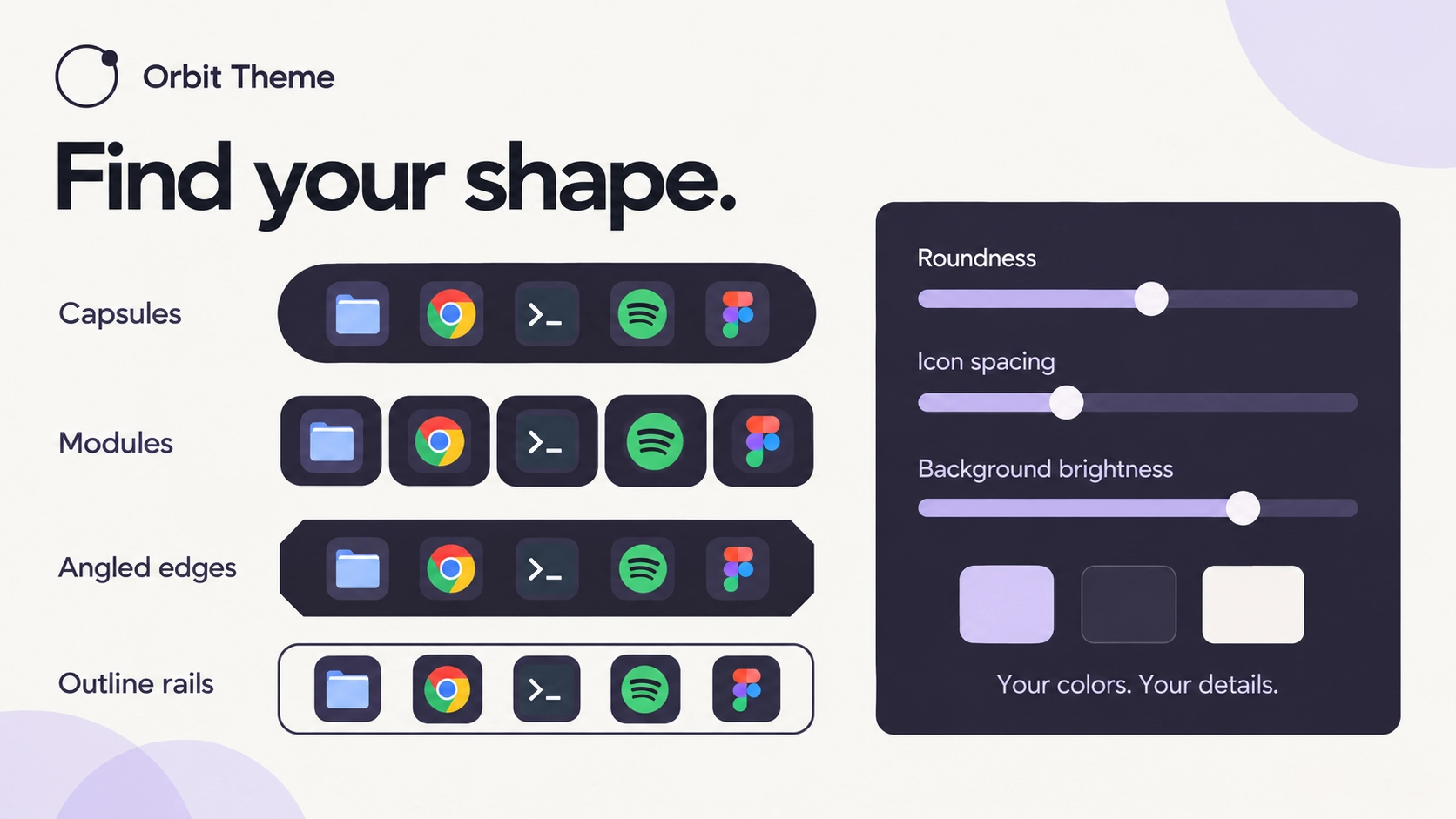
- Toolbar and dock shapes: choose between available rounded, floating, segmented and more compact presentations.
- Independent opacity controls: adjust toolbar and dock transparency separately instead of applying the same opacity everywhere.
- Surface finishes: experiment with different visual treatments, from clean flat surfaces and subtle outlines to glass, gradients and more decorative designs.
- Liquid Glass: translucent surfaces with soft reflections, matching tints, layered highlights and customizable transparency.
- Glass finish controls: fine tune supported reflections, edge highlights, rim details and opacity to make the glass appearance more subtle or pronounced.
- Dynamic application colors: optionally adapt supported toolbar and dock colors to the focused or maximized application.
- Adaptive contrast: automatically adjust supported foreground colors to help keep toolbar and dock text and icons readable against light or dark backgrounds.
- Animated backgrounds: bring supported interface elements to life with moving gradients, star effects, meteors and other decorative animations.
- Independent background effects: choose different animations for the toolbar and dock, or disable either one separately.
- Dynamic colors with animations: combine supported window-following color behavior with decorative background animations.
- Orbit Collection integration: apply supported background animations to Orbit Menu, Orbit Folders and Orbit Resources when those resources are installed.
- Per resource appearance options: choose different supported effects for individual Orbit resources to match their purpose and placement.
- Toolbar icon styling: customize available icon colors, highlights and visual treatments.
- Colorful icons: optionally give supported toolbar icons a more expressive appearance.
- Hover feedback: customize available highlights and transitions when interacting with supported controls.
- Application menu styling: apply matching backgrounds, spacing, borders and visual details to supported application menus.
- Notification styling: personalize supported notifications with matching colors, surfaces and rounded corners.
- Popup styling: customize supported media, toolbar, system and dock popups to match the selected appearance.
- Context menus and tooltips: apply consistent colors, borders, spacing and highlights throughout supported SeelenUI interfaces.
- Typography controls: personalize supported fonts, label styles, sizing and readability settings.
- Roundness customization: adjust available corner radii and shapes across supported interface elements.
- Border controls: customize available outlines, widths, accents and decorative edges.
- Spacing and density: choose a tighter, more compact presentation or a more spacious interface.
- Motion preferences: choose the amount of visual movement you prefer, including reduced motion options.
- Organized customization: related controls are grouped into dedicated settings sections for easier navigation.
Getting started :
Install Orbit Theme from Seelen's resource website and enable it under SeelenUI → Themes.
Open the theme's settings and choose your preferred appearance. Orbit is the default style, but you can explore the other presets or customize individual colors yourself.
Use the toolbar and dock settings to adjust their shapes, transparency, backgrounds and visual details independently.
For a glass-inspired appearance, choose Liquid Glass and customize its opacity, highlights and reflections until you find the finish you prefer.
If you want your desktop colors to react to the active application, enable the available dynamic color settings.
To add movement, open the background animation settings and choose your preferred effects. You can configure toolbar and dock animations independently, or use Quiet animations for a more subtle presentation.
Dock background animations are disabled by default on a fresh installation, so you can enable them whenever you want.
If you're using Orbit Menu, Orbit Folders or Orbit Resources, explore the Orbit Collection settings to customize their supported background animations.
For a minimal desktop, use a simple appearance with fewer effects. For something more expressive, experiment with colorful presets, gradients and glass surfaces.
A few things to know:
Orbit Theme customizes supported SeelenUI interface elements. It does not replace the Windows theme or automatically change the appearance of every Windows application.
Orbit Collection specific options only affect the corresponding resources when they're installed and enabled.
Liquid Glass uses transparent surfaces, reflections and visual styling. Actual desktop background blur depends on SeelenUI and Windows rendering capabilities.
Dynamic colors depend on the available window information and may behave differently with unusual application backgrounds.
Animated backgrounds, transparency and other visual effects can increase CPU or GPU usage, particularly on lower-end computers or multi monitor setups. You can disable them individually for a lighter experience.
Other active themes or Windows customization tools may override supported styling. Check for conflicting modifications if something looks different than expected.
Designed for SeelenUI 2.8.10 or later.
If you have a suggestion, found an issue or wanna request something for a future update, feel free to ask in the official SeelenUI Discord server: https://discord.com/invite/seelen-network-751144791596597561 Specifically in this channel : https://discord.com/channels/751144791596597561/1560624521176817664
Orbit collection :
https://seelen.io/resources/collection/5b86b663-aefd-4d5c-90ac-c6c80722080f
Paano gamitin?
- I -download at i -install Seelen UI
- Tiyaking tumatakbo ang app
- I -click ang pindutan ng pag -download sa itaas
- Tanggapin ang browser prompt upang buksan ang Seelen UI
- Hahawakan ng app ang pag -install
- At iyon lang!
Pagiging tugma
- Seelen UI: 2.8.11+
- Platform: Windows
Higit pa sa pamamagitan ng ickyaidy
Mga kaugnay na mapagkukunan





Impormasyon ng mapagkukunan
- ID: 9dadbc53-a1e5-4f17-ad02-a525d3382abe
- I -type: Tema
- Katayuan: Nai -publish
- Nilikha sa: Biyernes, Oktubre 16, 2026 nang 11:41:52 AM UTC
- Huling na -update sa: Huwebes, Nobyembre 19, 2026 nang 10:34:54 AM UTC
- Sinuri sa: Huwebes, Nobyembre 19, 2026 nang 10:34:54 AM UTC
- Sinuri ng:@eythaann