لقطات الشاشة
الوصف
Orbit Resources <3
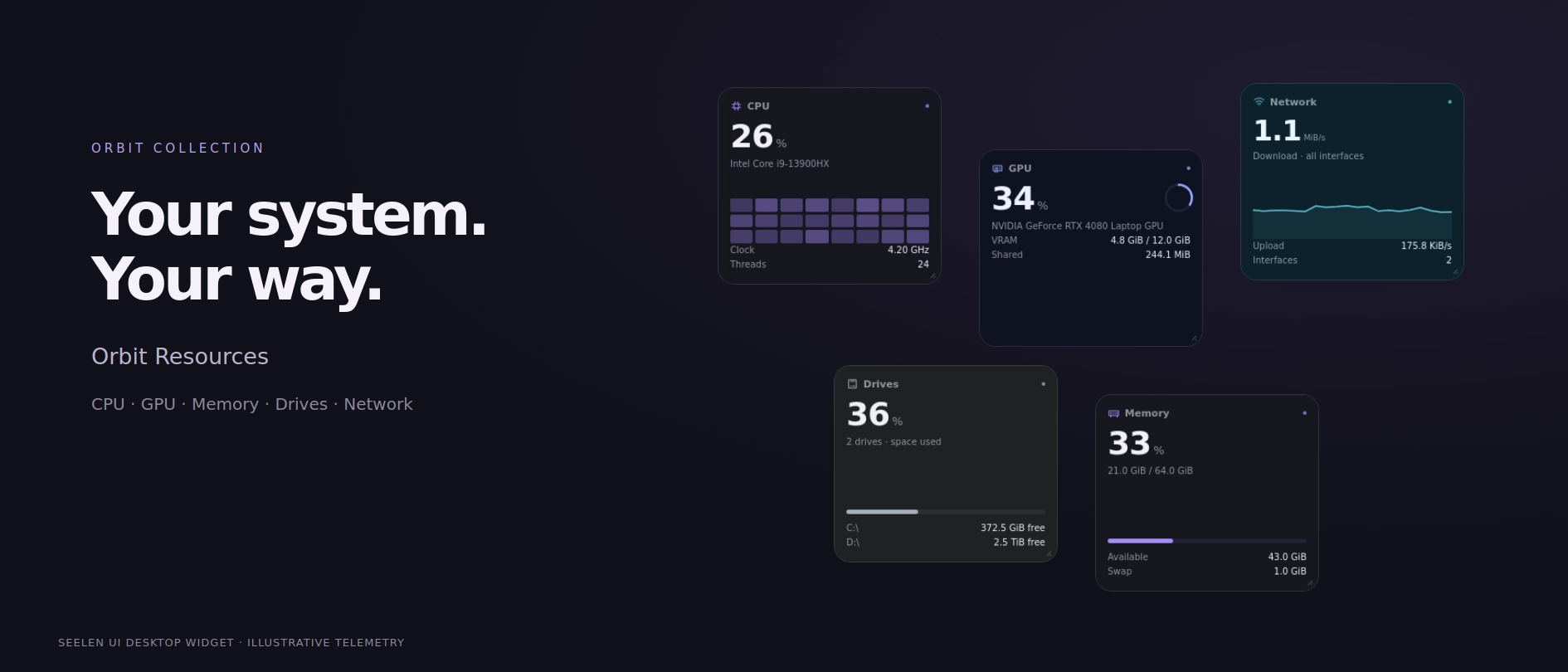
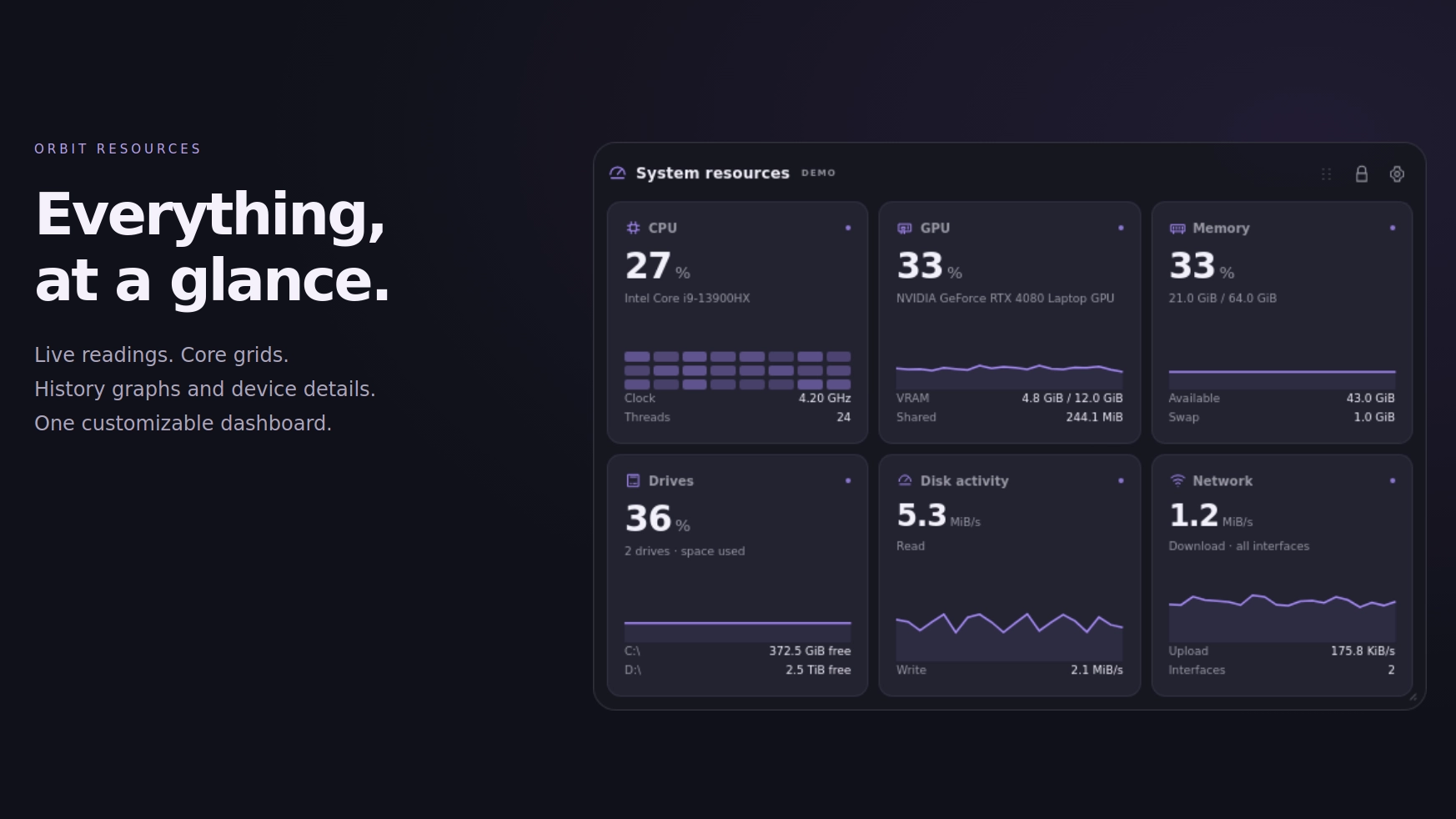
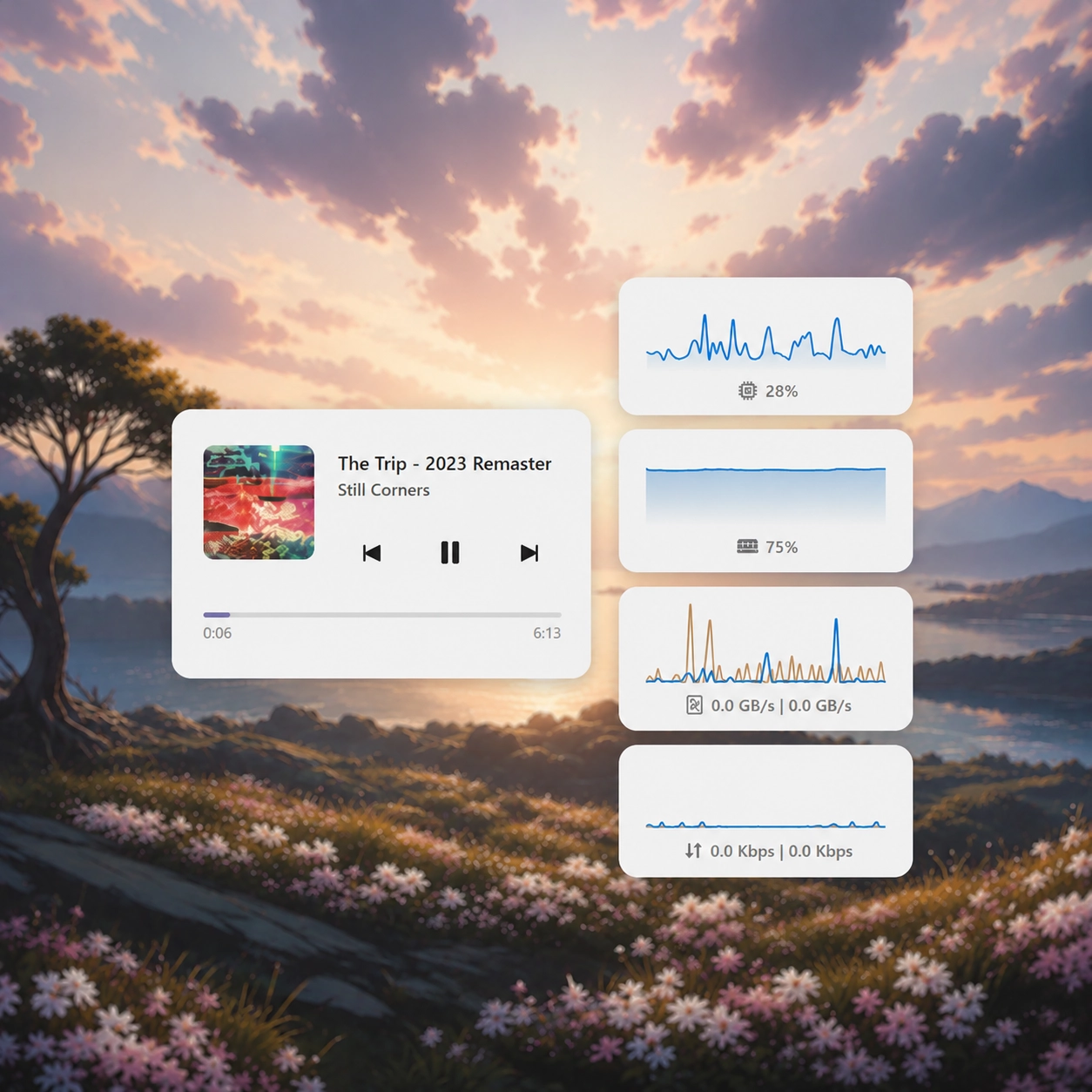
Orbit Resources is a customizable system monitoring widget that brings your CPU, GPU, memory, drives, network and other useful system information together in a modern, animated interface.
Choose between compact readings, detailed graphs, individual resource cards or complete dashboards. Resize, rearrange and customize everything to fit your desktop, with beautiful appearance presets and support for different monitor setups.
Features:
- CPU monitoring: view processor usage and other available CPU information with live readings and history graphs.
- GPU monitoring: display graphics card information, GPU utilization and supported telemetry provided by SeelenUI.
- Memory monitoring: keep track of RAM usage, available memory and overall memory consumption.
- Drive monitoring: display connected drives, storage capacity, used space and available space.
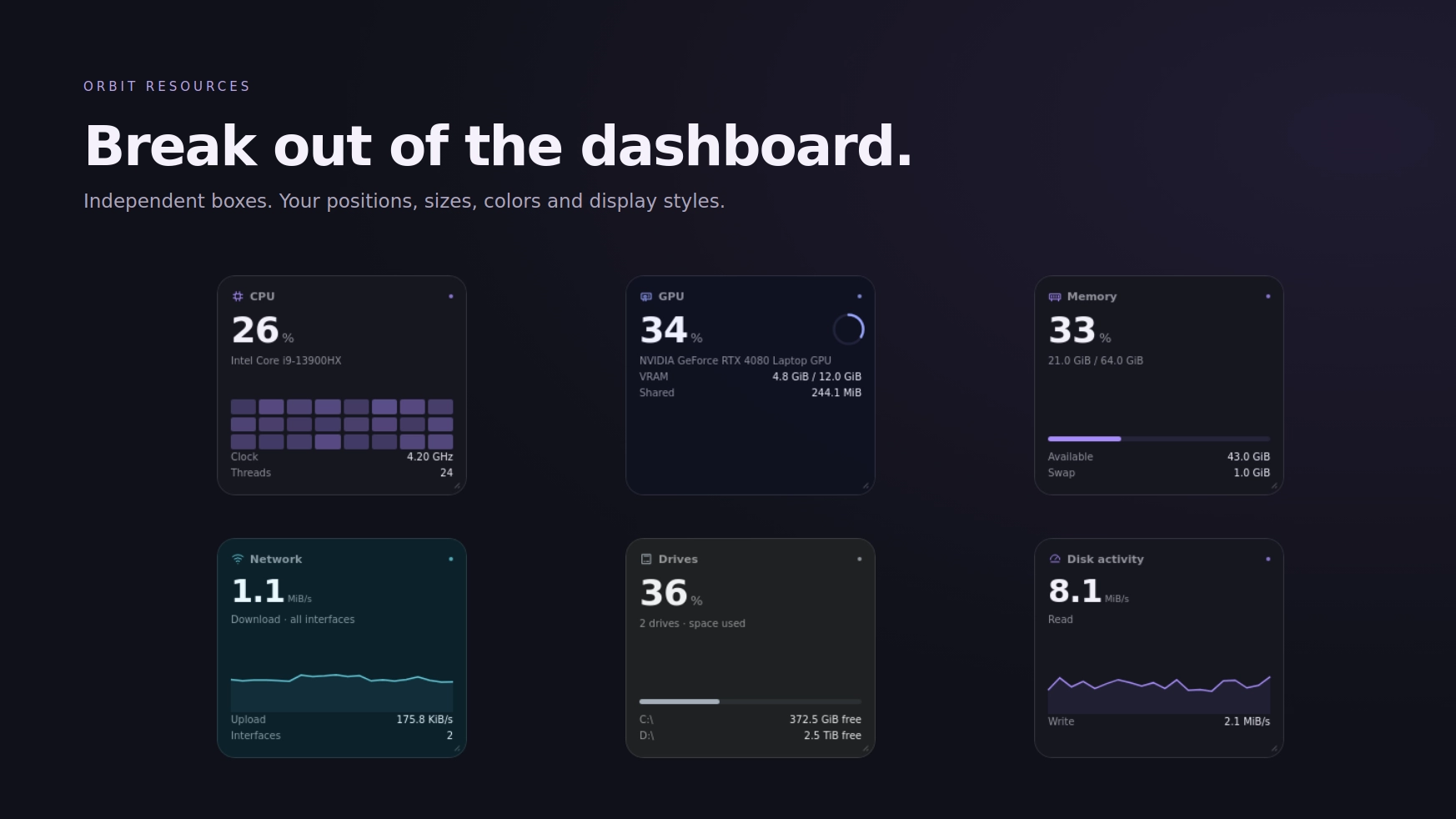
- Disk activity: monitor storage read and write activity to see how actively your drives are being used.
- Network monitoring: track upload and download activity with live readings and visual graphs.
- Additional system information: optional readings for other available system metrics, depending on hardware support and the information exposed by SeelenUI.
- Optional advanced telemetry: enable supported temperature, fan speed, power consumption and performance readings when the required data is available.
- Live graphs: visualize changing system activity instead of relying on numbers alone.
- Multiple dashboard layouts: choose from different arrangements featuring large graphs, compact panels, detailed resource cards and mixed dashboard views.
- Compact reading styles: use smaller, information focused layouts when you want to save desktop space.
- Detailed reading styles: display additional resource information with more room for values, graphs and labels.
- Unified layout: keep your system information together in one cohesive dashboard.
- Split layout: separate resources into individual boxes for a more flexible arrangement.
- Draggable resource boxes: rearrange supported split-layout panels to match your preferred organization.
- Configurable visibility: show or hide individual resource categories and optional readings.
- Customizable graphs: choose how resource activity and related information are presented.
- Resource details: select an individual resource to view its available information in a dedicated detail panel.
- Responsive scaling: layouts adapt to different widget sizes, with an emphasis on keeping values, labels and graphs readable.
- Multi monitor support: select which monitor should display Orbit Resources, with the primary monitor used by default.
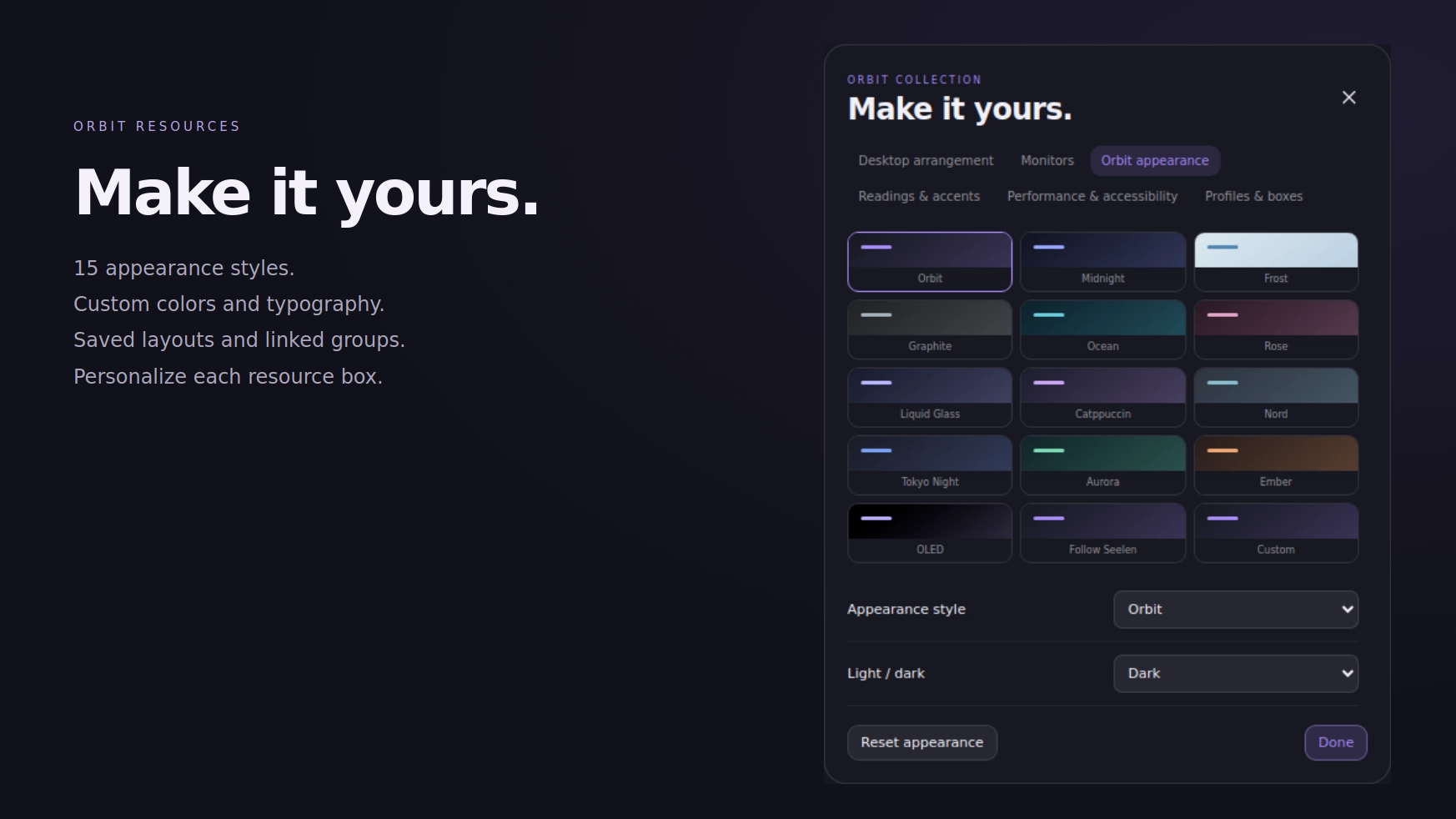
- Appearance presets: choose between Orbit, Midnight, Frost, Graphite, Ocean, Rose, Liquid Glass, Catppuccin, Nord, Tokyo Night, Aurora, Ember, OLED and additional appearance options.
- Light and dark modes: choose your preferred appearance or follow SeelenUI's color mode.
- Accent customization: follow SeelenUI, use the Windows accent or choose your own colors.
- Matching interface: graphs, resource cards, details, controls, labels and backgrounds adapt to the selected appearance.
- Flexible sizing: adjust the widget's dimensions and choose layouts that suit compact or larger desktop arrangements.
- Performance focused rendering: optimized updates and layout handling help reduce unnecessary rendering work while displaying live information.
Getting started :
Install Orbit Resources and enable it from SeelenUI's widget settings.
Open SeelenUI → Widgets → Orbit Resources to configure the appearance, dashboard layout, reading style, visible resources and other settings.
Choose between "Unified" and "Split" layouts depending on how you want your system information organized.
You can enable or disable resource categories, customize the presentation of your graphs and choose which optional information should be displayed.
If you're using multiple monitors, select your preferred display from the widget settings. By default, Orbit Resources uses your primary monitor.
Click a resource to open its detailed information panel when supported by the selected layout.
A few things to know:
Orbit Resources uses the system information made available through SeelenUI and its supported APIs.
Not every computer exposes the same telemetry. Optional readings such as temperatures, fan RPM, power consumption or FPS depend on your hardware, drivers, SeelenUI version and available data sources.
Some readings may be unavailable even if the related hardware is installed. Orbit Resources cannot display information that SeelenUI or the underlying monitoring source does not provide.
Designed for SeelenUI 2.8.10 or later.
If you have a suggestion, found an issue or wanna request something for a future update, feel free to ask in the official SeelenUI Discord server: https://discord.com/invite/seelen-network-751144791596597561
Orbit collection :
https://seelen.io/resources/collection/5b86b663-aefd-4d5c-90ac-c6c80722080f
كيفية الاستخدام؟
- التنزيل والتثبيت Seelen UI
- تأكد من تشغيل التطبيق
- انقر على زر التنزيل أعلاه
- قبول مطالبة المتصفح بفتح واجهة مستخدم سيلين
- سيتعامل التطبيق مع التثبيت
- وهذا كل شيء!
التوافق
- Seelen UI: 2.8.10+
- المنصة: Windows
المزيد بواسطة ickyaidy


الموارد ذات الصلة




معلومات عن الموارد
- ID: 7afd5429-2c25-4994-a9d0-6ab588a1c4fc
- النوع: القطعة
- الحالة: منشورة
- تم إنشاؤها في: الثلاثاء، 13 أكتوبر 2026 في 2:23:07 م UTC
- آخر تحديث في: الاثنين، 26 أكتوبر 2026 في 10:11:08 ص UTC
- تمت المراجعة في: الاثنين، 26 أكتوبر 2026 في 10:11:08 ص UTC
- تمت المراجعة من قبل:@eythaann