لقطات الشاشة
الوصف
Orbit Theme <3
Orbit Theme is a highly customizable visual theme designed to bring SeelenUI's toolbar, dock, menus, notifications, popups and other interface elements together with a modern, cohesive appearance.
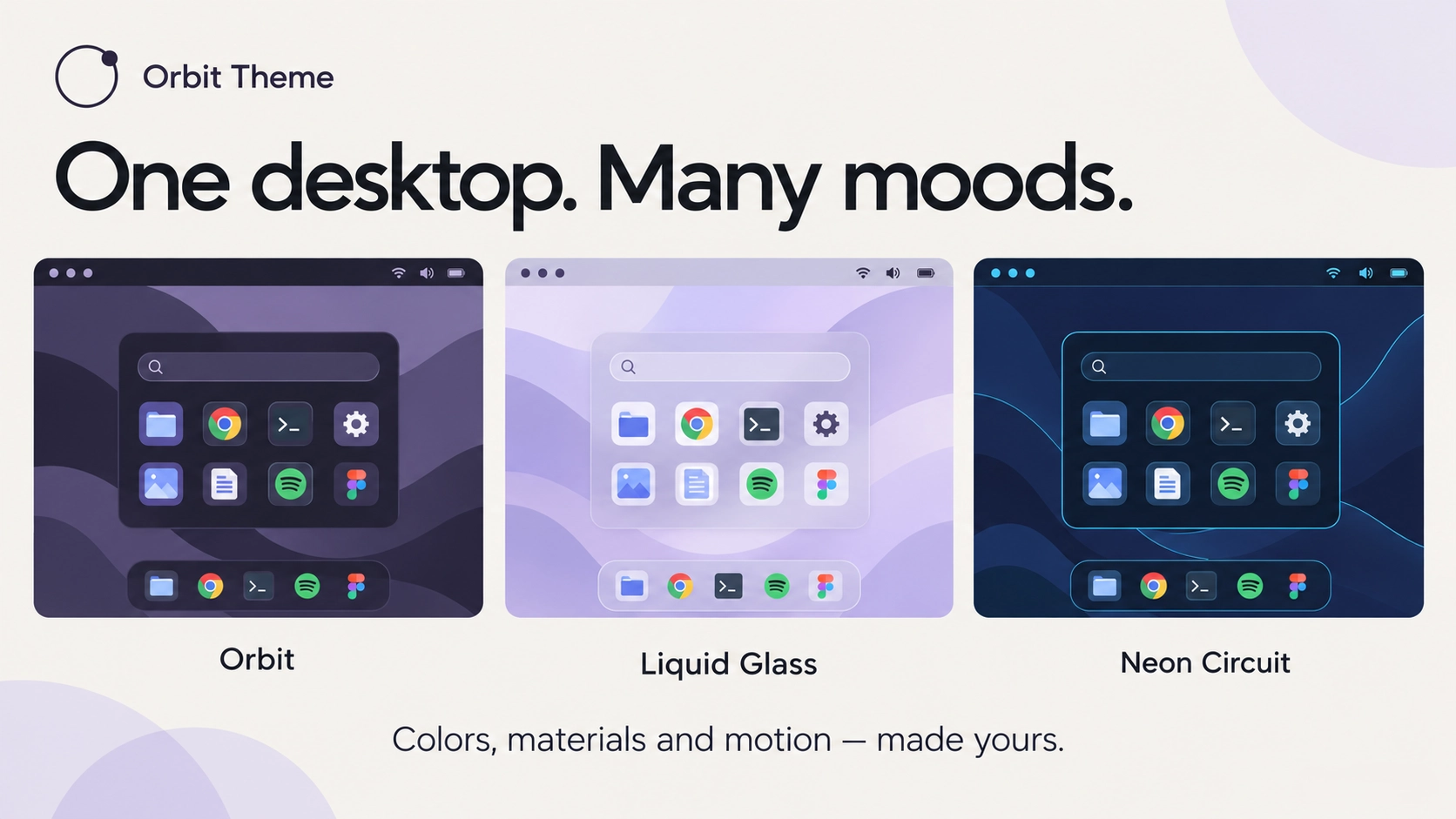
Choose between beautiful appearance presets, customize colors and transparency, experiment with different toolbar and dock shapes, or bring your desktop to life with animated backgrounds, stars, meteor showers and other visual effects.
From clean and minimal to colorful and animated, Orbit Theme lets you create a desktop that actually feels like yours.
And if you're using other resources from the Orbit Collection, the theme can help bring their appearances together too <3
Features:
- Complete SeelenUI makeover: customize the appearance of the toolbar, dock, menus, notifications, popups, context menus and other supported SeelenUI interface elements.
- Appearance presets: choose from Orbit, Midnight, Frost, Graphite, Ocean, Rose, Liquid Glass, Catppuccin, Nord, Tokyo Night, Aurora, Ember, OLED and additional accent-following and custom appearance options.
- Follow Seelen: automatically adapt supported theme colors to your selected SeelenUI appearance.
- Follow Windows Accent: use your Windows accent color throughout supported interface elements.
- Custom colors: choose your own accent and appearance colors instead of relying on a predefined preset.
- Light and dark modes: customize the appearance for light mode, dark mode or automatically follow the system where supported.
- Toolbar customization: change toolbar backgrounds, transparency, shapes, colors, borders, highlights and visual effects.
- Dock customization: personalize the dock's appearance with different backgrounds, shapes, transparency and animated effects.
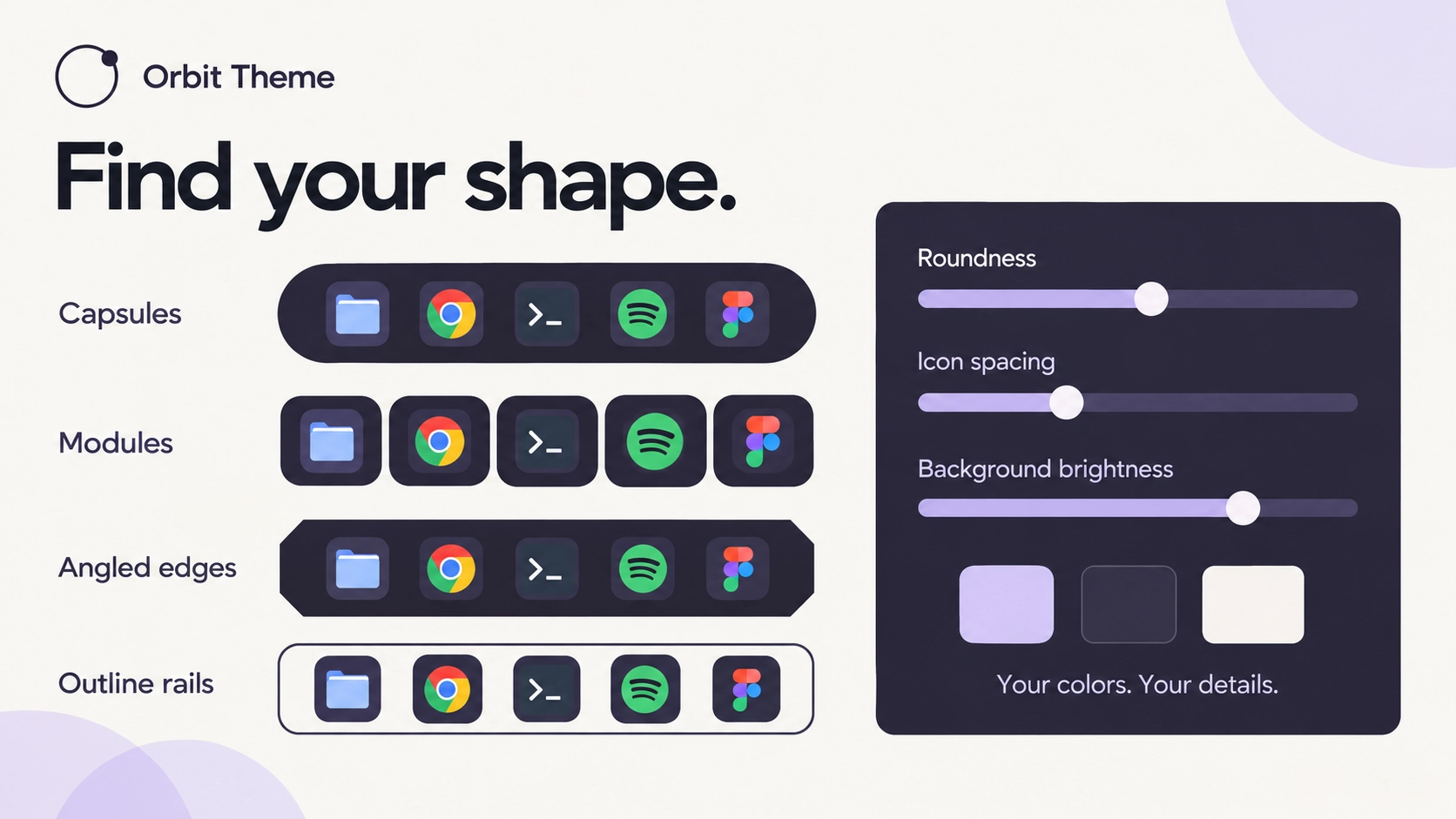
- Toolbar and dock shapes: choose from available shape options to create anything from a compact, minimal look to a more rounded, floating interface.
- Animated backgrounds: bring supported surfaces to life with animated visual effects instead of using static colors alone.
- Independent animations: customize toolbar and dock background animations separately.
- Orbit Collection integration: apply supported background animations to Orbit Menu, Orbit Folders and Orbit Resources when those resources are installed.
- Per resource animation settings: choose different animations for supported Orbit Collection resources instead of forcing every resource to use the same effect.
- Dynamic backgrounds: adjust supported toolbar and dock backgrounds to better respond to their content and available space.
- Colorful toolbar icons: optionally apply colorful styling to supported toolbar icons for a more expressive appearance.
- Hover effects: add visual feedback to supported icons and controls, with customizable effects and the option to disable them.
- Animated highlights: subtle animations and transitions for selected, active and hovered elements.
- Notification styling: redesign supported notifications with matching colors, borders, rounded corners and surfaces.
- Popup styling: customize supported toolbar, dock and system popups to match your selected appearance.
- Context menu styling: matching menu backgrounds, item highlights, borders, spacing and rounded corners.
- System tray styling: customize supported system tray interfaces, including grid, tile and compact presentation options where available.
- Tooltip styling: matching tooltip colors, backgrounds, borders and spacing for a more cohesive experience.
- Clipboard and application menu integration: apply consistent styling to supported SeelenUI clipboard and app menu interfaces.
- Transparency controls: adjust opacity for supported surfaces, including glass inspired appearances.
- Roundness controls: customize border radii and the overall softness of supported interface elements.
- Matching visual details: buttons, separators, icons, highlights, panels and scrollbars are styled consistently throughout supported areas.
- Motion customization: keep supported effects subtle, enable additional animations or disable them when preferred.
- Performance conscious effects: animations and visual effects are designed to avoid unnecessary work while keeping the desktop responsive.
Getting started :
Install Orbit Theme from Seelen's resource website and enable it under SeelenUI → Themes
Open the theme's settings to choose your preferred appearance preset. "Orbit" is the default appearance, but you can switch to Liquid Glass, Frost, Midnight, OLED or any of the other available styles.
Customize the toolbar and dock separately using their appearance, shape, transparency, color and animation settings.
Want an animated desktop? Open the background animation settings and choose from the available effects. You can give your toolbar, dock & the menu different animations depending on your preferences.
For a more minimal desktop, disable unnecessary animations and hover effects, adjust transparency and choose a cleaner appearance.
Orbit Collection integration:
If you also use Orbit Menu, Orbit Folders or Orbit Resources, open the "Orbit Collection" category in the theme settings.
From there, you can choose supported animated backgrounds for each resource independently.
These options only work when the corresponding Orbit resources are installed and enabled. Orbit Theme does not install the other resources automatically.
A few things to know:
Orbit Theme customizes supported SeelenUI interface elements. It does not replace the Windows desktop theme or guarantee changes to every Windows application.
Some effects depend on SeelenUI's rendering behavior, transparency support and the interface being customized.
Certain animations may be more demanding on older computers or multi monitor setups. If you prefer a simpler experience, you can use static backgrounds and disable additional motion effects.
Other third party themes or Windows customization tools may override or interfere with some appearance changes. Theme order and conflicting modifications can affect the final result.
Designed for SeelenUI 2.8.10 or later.
If you have a suggestion, found an issue or wanna request something for a future update, feel free to ask in the official SeelenUI Discord server: https://discord.com/invite/seelen-network-751144791596597561
Orbit collection :
https://seelen.io/resources/collection/5b86b663-aefd-4d5c-90ac-c6c80722080f
كيفية الاستخدام؟
- التنزيل والتثبيت Seelen UI
- تأكد من تشغيل التطبيق
- انقر على زر التنزيل أعلاه
- قبول مطالبة المتصفح بفتح واجهة مستخدم سيلين
- سيتعامل التطبيق مع التثبيت
- وهذا كل شيء!
التوافق
- Seelen UI: 2.8.10+
- المنصة: Windows
المزيد بواسطة ickyaidy
الموارد ذات الصلة





معلومات عن الموارد
- ID: 9dadbc53-a1e5-4f17-ad02-a525d3382abe
- النوع: الموضوع
- الحالة: منشورة
- تم إنشاؤها في: الجمعة، 16 أكتوبر 2026 في 11:41:52 ص UTC
- آخر تحديث في: الاثنين، 26 أكتوبر 2026 في 10:11:00 ص UTC
- تمت المراجعة في: الاثنين، 26 أكتوبر 2026 في 10:11:00 ص UTC
- تمت المراجعة من قبل:@eythaann