Desktop Widgets — Clock, Media & System Monitor
From a beautiful desktop clock to a real-time audio visualizer — Seelen UI brings a full suite of elegant, lightweight widgets to Windows 11, completely free.
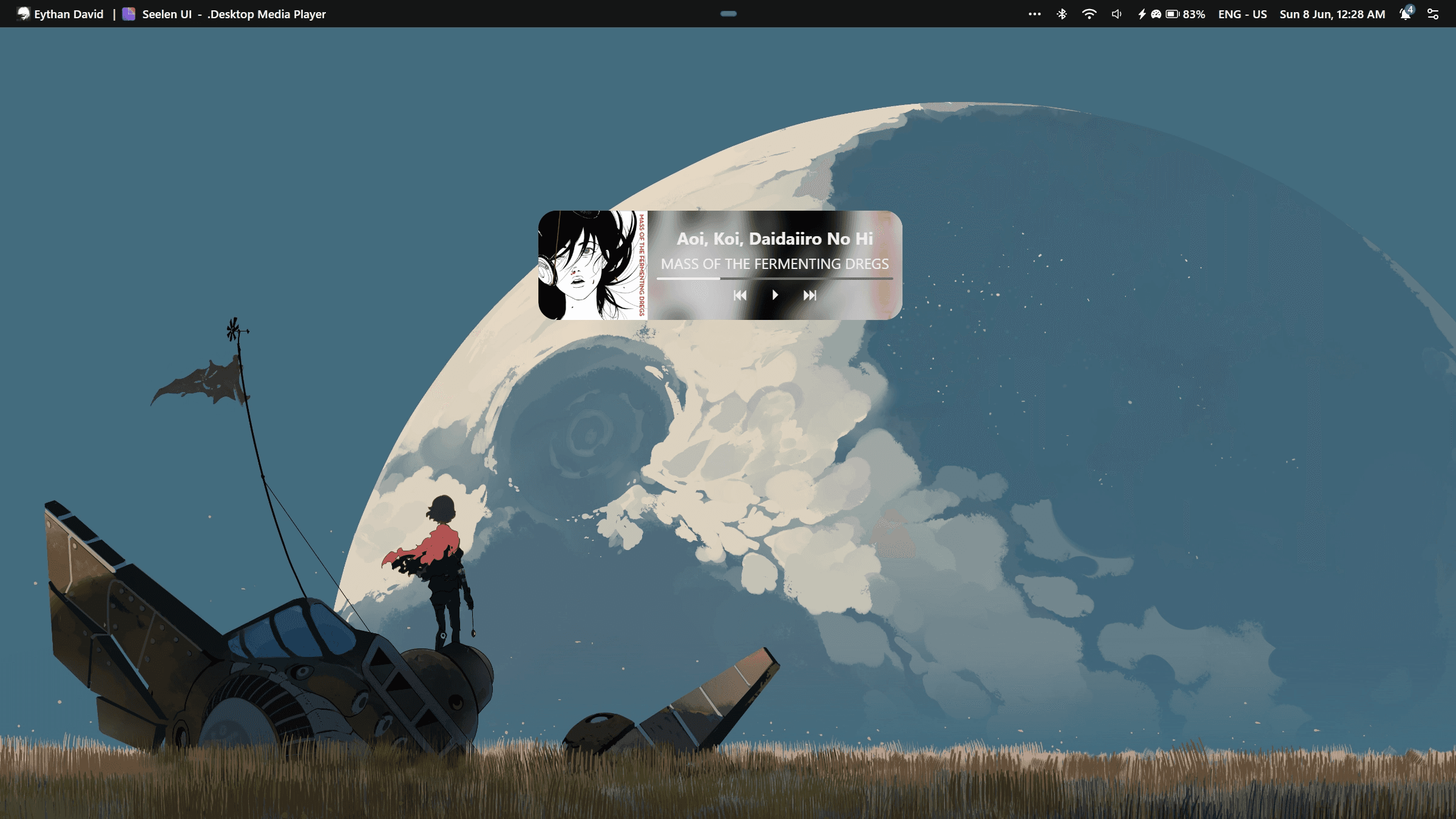
Media Player & Audio Controls
Control your music without switching windows. Seelen UI integrates with Windows media sessions to show and control any media player — Spotify, YouTube, VLC, Winamp, and more.
- Album art, track name, and artist displayed on your desktop
- Play, pause, skip, and seek from the widget or dock
- Per-app volume sliders for fine-grained audio control
- Switch audio output devices instantly without opening Settings
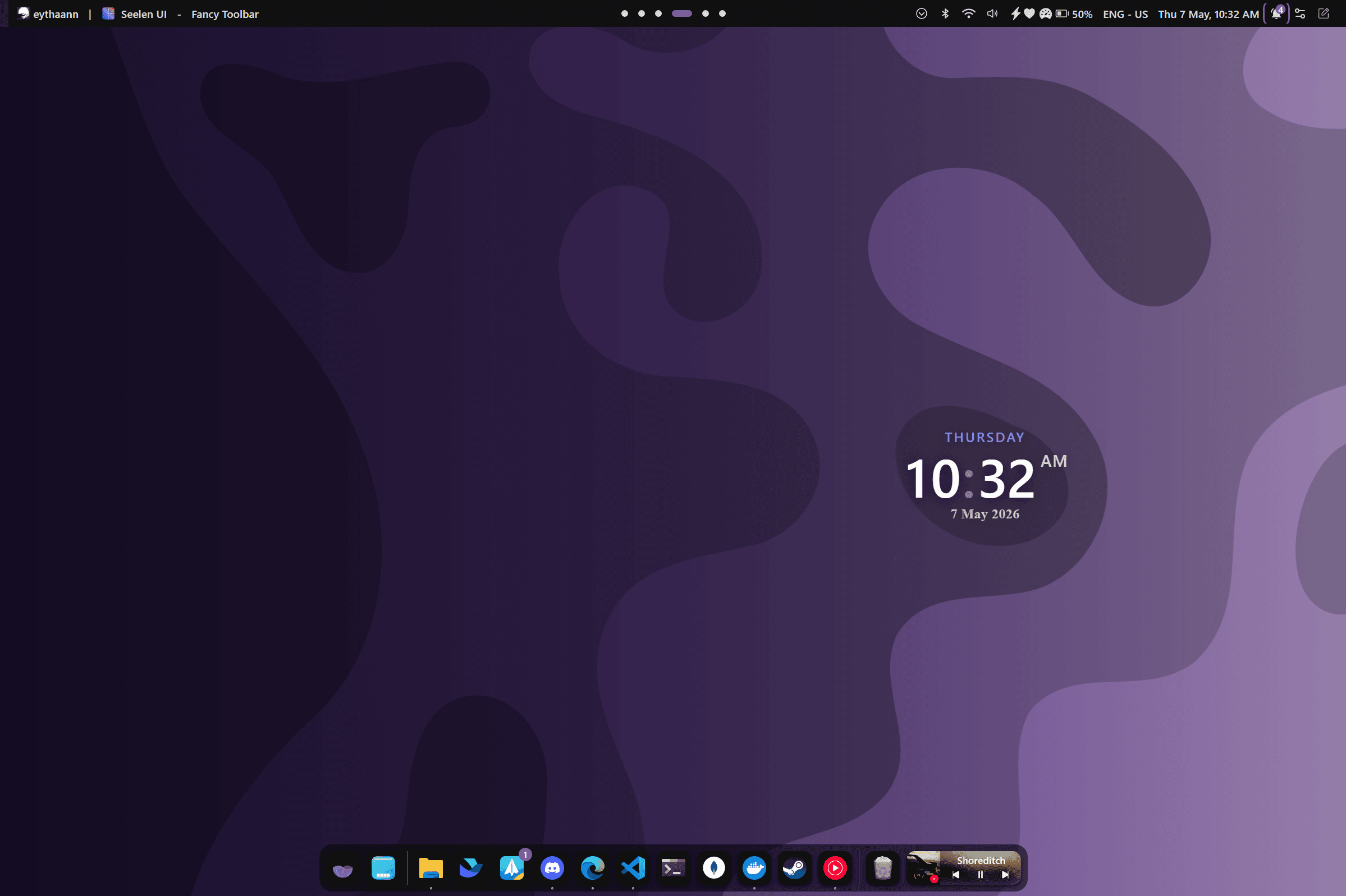
Desktop Clock & Calendar
Always know the time and date without a second glance. The clock widget lives in your status bar, and a full monthly calendar is one click away — no app switching needed.
- Clock in the toolbar with configurable date and time formatting
- Monthly calendar grid with current day highlighted
- Configurable week start day (Monday, Sunday, etc.)
- Timezone and locale-aware display
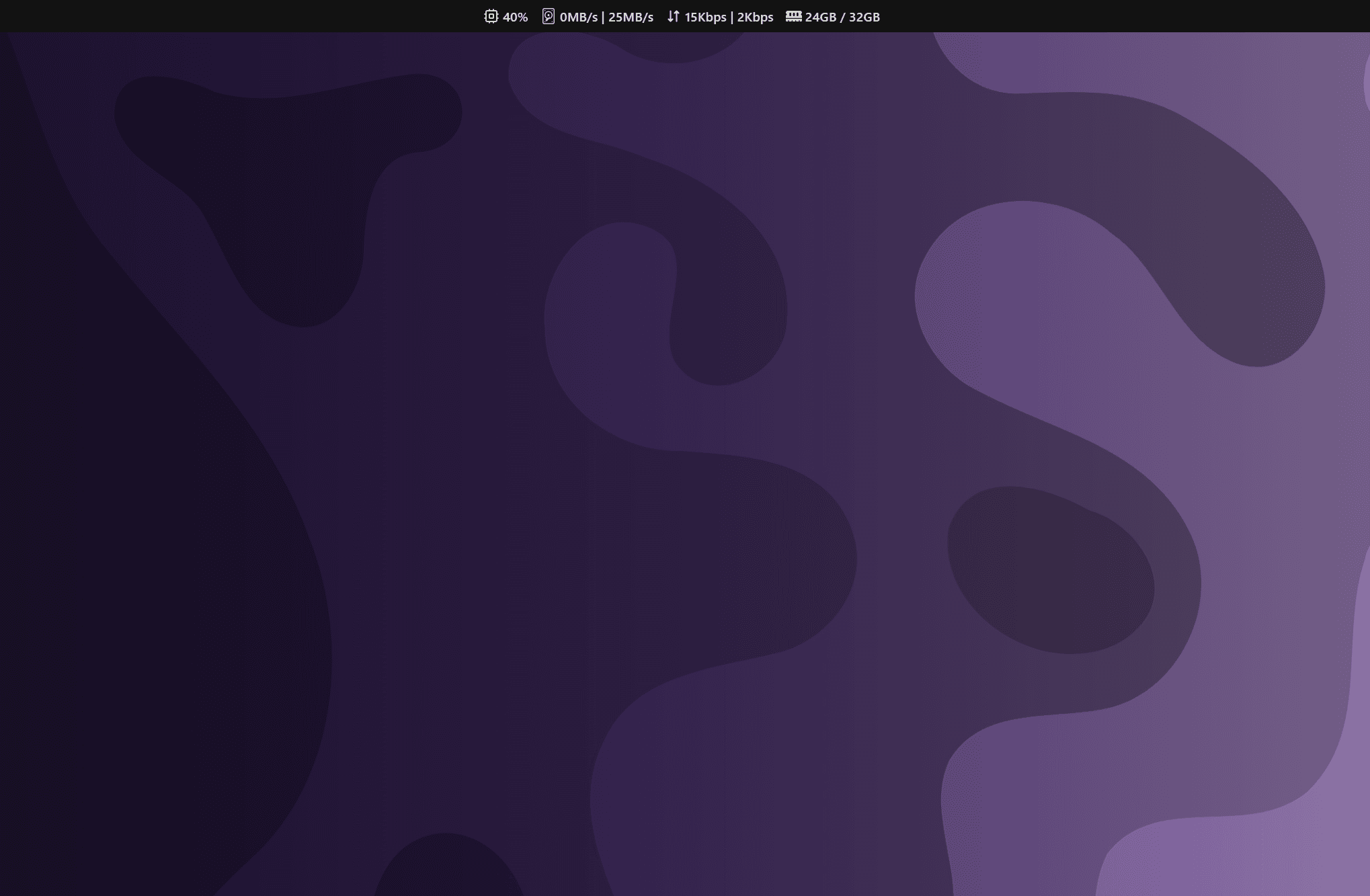
Real-Time System Monitor
Keep an eye on your machine without a third-party app. Live CPU, RAM, network, and disk stats are displayed directly in the status bar, powered by a lightweight Rust backend.
- Per-core CPU usage displayed as individual bars or aggregate
- RAM usage in GB used / total
- Real-time network upload and download speeds
- Disk I/O activity and battery percentage with charge indicator
Notifications & Quick Settings
A full notification center and a quick settings panel — right where you need them. Manage connectivity, brightness, and volume without ever opening the Windows Settings app.
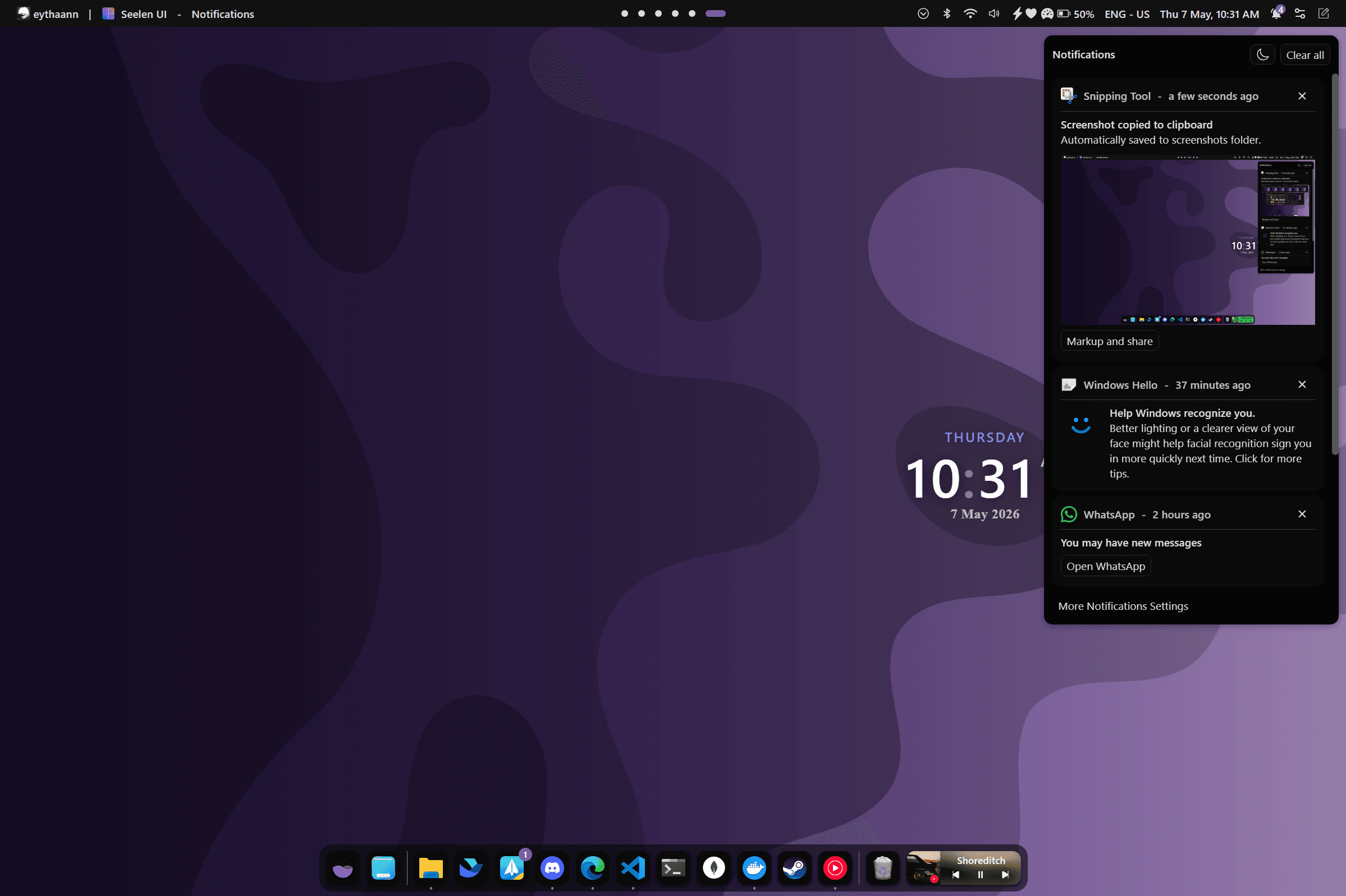
- Notification center with images, action buttons, and progress bars
- Do Not Disturb toggle — silence all notifications instantly
- Wi-Fi, Bluetooth, and brightness (DDC/CI) toggles in Quick Settings
- Clipboard history with multi-format content and source app display
More Widgets. More Control.
Flyout Alerts
Subtle overlay alerts for volume changes, brightness, workspace switches, and new notifications.
Power Menu
Lock, Sleep, Restart, or Shutdown from anywhere — always one shortcut away.
Network Manager
Connect to Wi-Fi networks and view signal strength directly from the desktop.
Bluetooth Manager
Pair, connect, and manage Bluetooth devices without opening Windows Settings.
Clipboard History
Full multi-format clipboard history with source app, timestamp, and quick paste.
Extensible & Community Resources
Extend your setup with community-made widgets and themes available on the website.
Explore More Features
Your Desktop, Supercharged.
Free, open source, and available on the Microsoft Store.