Live Wallpaper Manager for Windows 11
Video wallpapers, animated HTML canvases, and music-synced live backgrounds — all running natively on Windows 11, completely free.
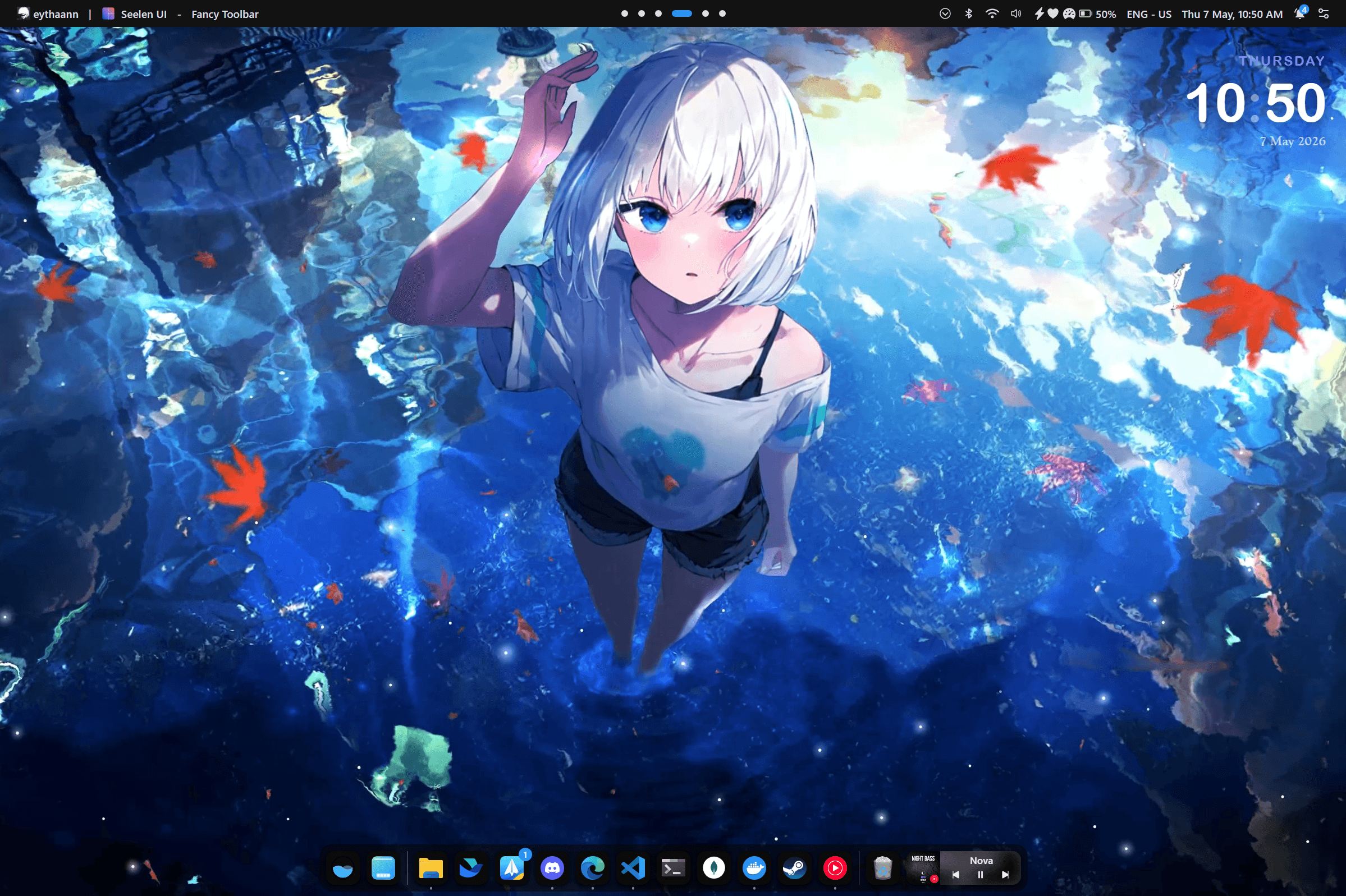
Video Wallpapers — MP4, WebM & More
Turn any video file into a stunning live wallpaper. Seelen UI plays MP4, WebM, and any format your system supports, with independent playback speed and mute controls so your workflow is never interrupted.
- Supports MP4, WebM, and all browser-renderable formats
- Control playback speed (slow motion or time-lapse)
- Mute video wallpaper audio independently of system volume
- Hardware-accelerated playback for smooth, low-CPU rendering
Music-Synced Backgrounds
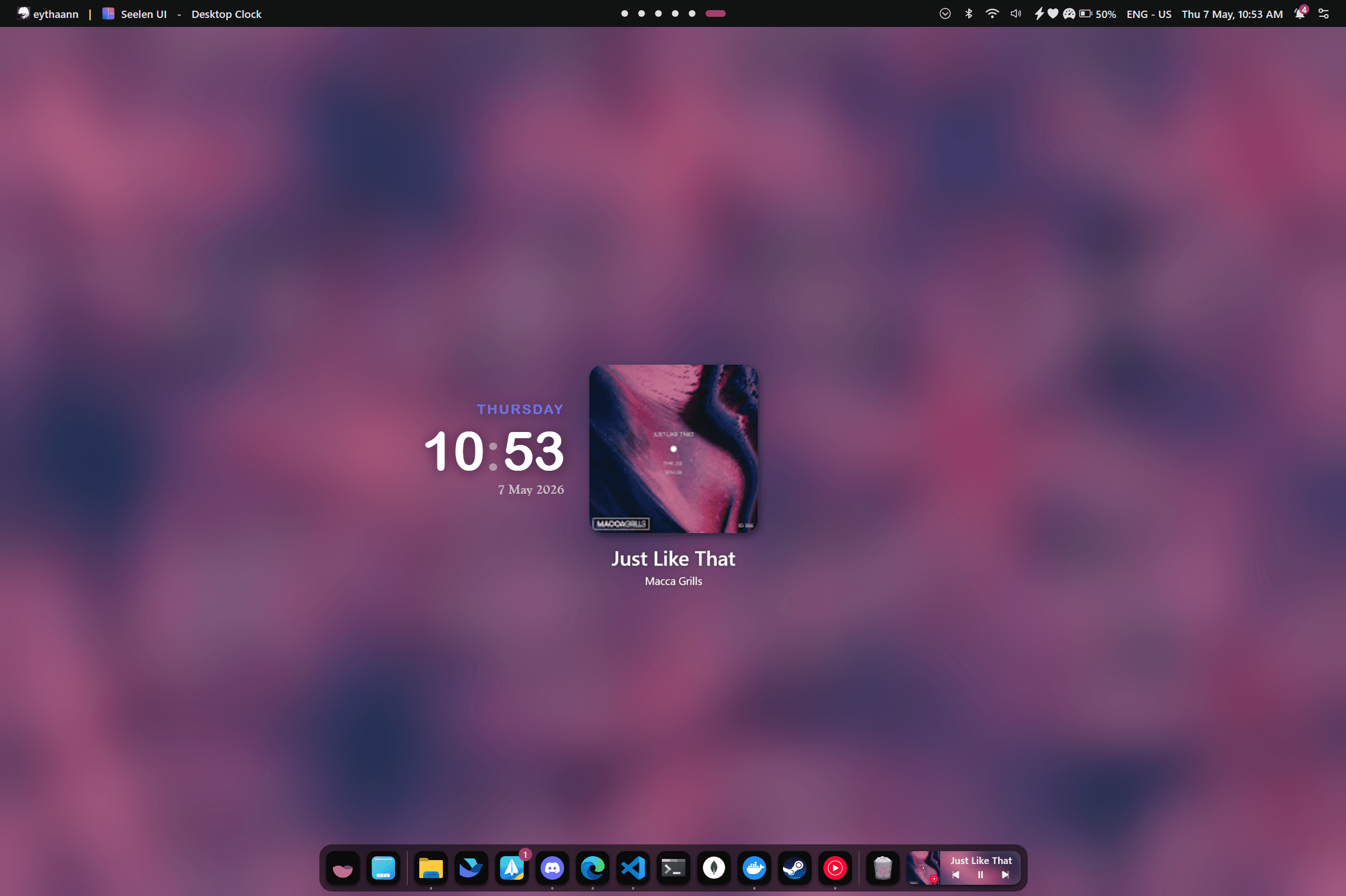
Your wallpaper can react to what you're listening to. Seelen UI integrates with Windows media sessions — works with Spotify, YouTube, Winamp, VLC, and any other player.
- Display album art as your live wallpaper background
- Build wallpapers that pulse and react with the beat
- Show track name, artist, and progress on your desktop
- Auto-switch wallpaper collections based on media activity
Per-Monitor & Per-Workspace
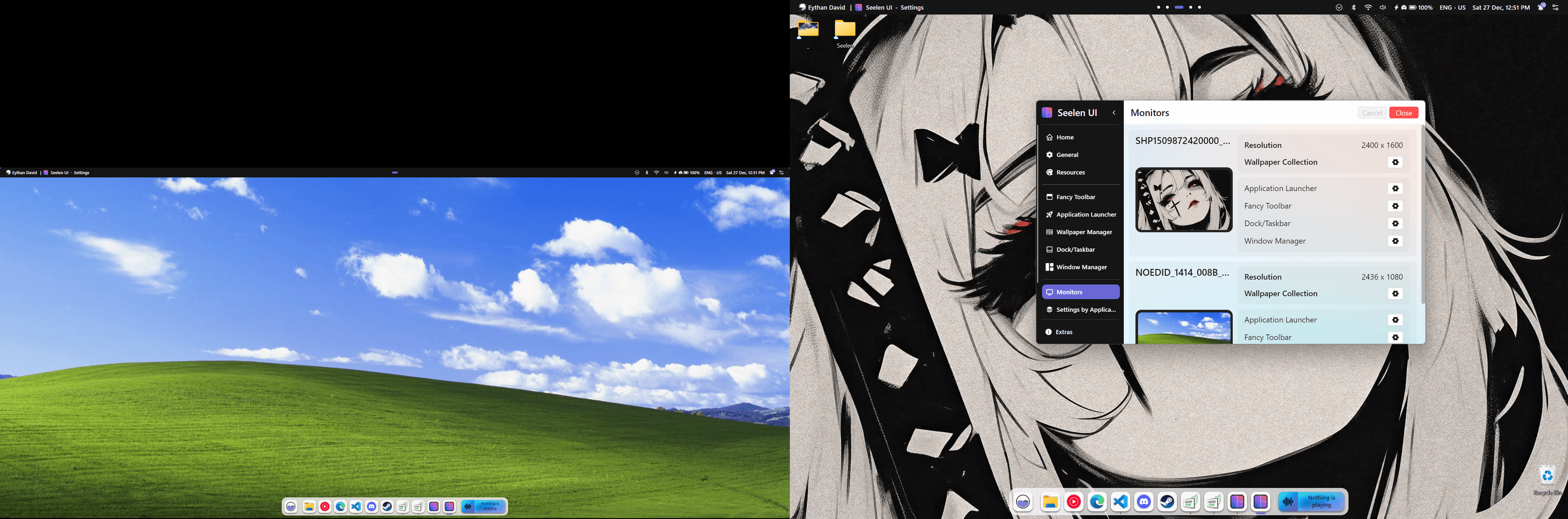
Every monitor and every virtual desktop can have its own wallpaper. Organize your collection into themes and assign them automatically — no manual switching needed.
- Each monitor selects from its own wallpaper collection
- Override wallpaper per virtual desktop or workspace
- Priority chain: workspace → monitor → global default
- Panoramic mode spans one image across all monitors
Everything You Need to Customize Your Desktop
Blur, Saturation & Contrast
Fine-tune blur intensity, saturation, and contrast independently for each wallpaper.
Color Overlay
Apply a custom color overlay with any CSS mix-blend-mode over any wallpaper.
Object-Fit Modes
Choose Fill, Contain, Cover, Scale Down, or None to control how your wallpaper fills the screen.
Multi-Monitor
Use panoramic spanning across monitors or set fully independent wallpapers per screen.
Keyboard Shortcuts
Cycle to the next or previous wallpaper instantly with Ctrl+Win+↑ and Ctrl+Win+↓.
Collections
Organize wallpapers into named collections and assign them per monitor or workspace.
Explore More Features
Ready to Transform Your Desktop?
Free, open source, and available on the Microsoft Store.