
Screenshots
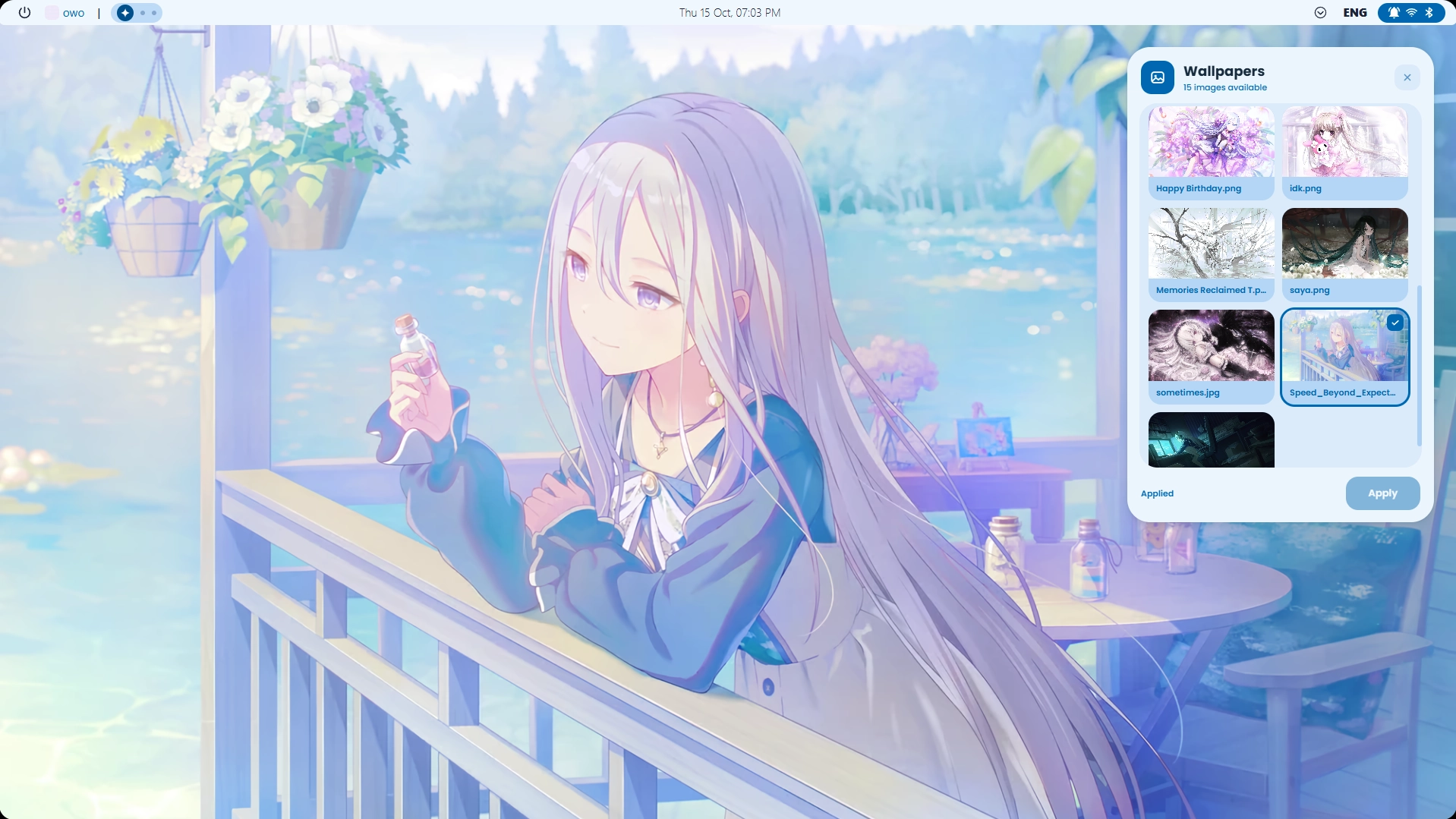
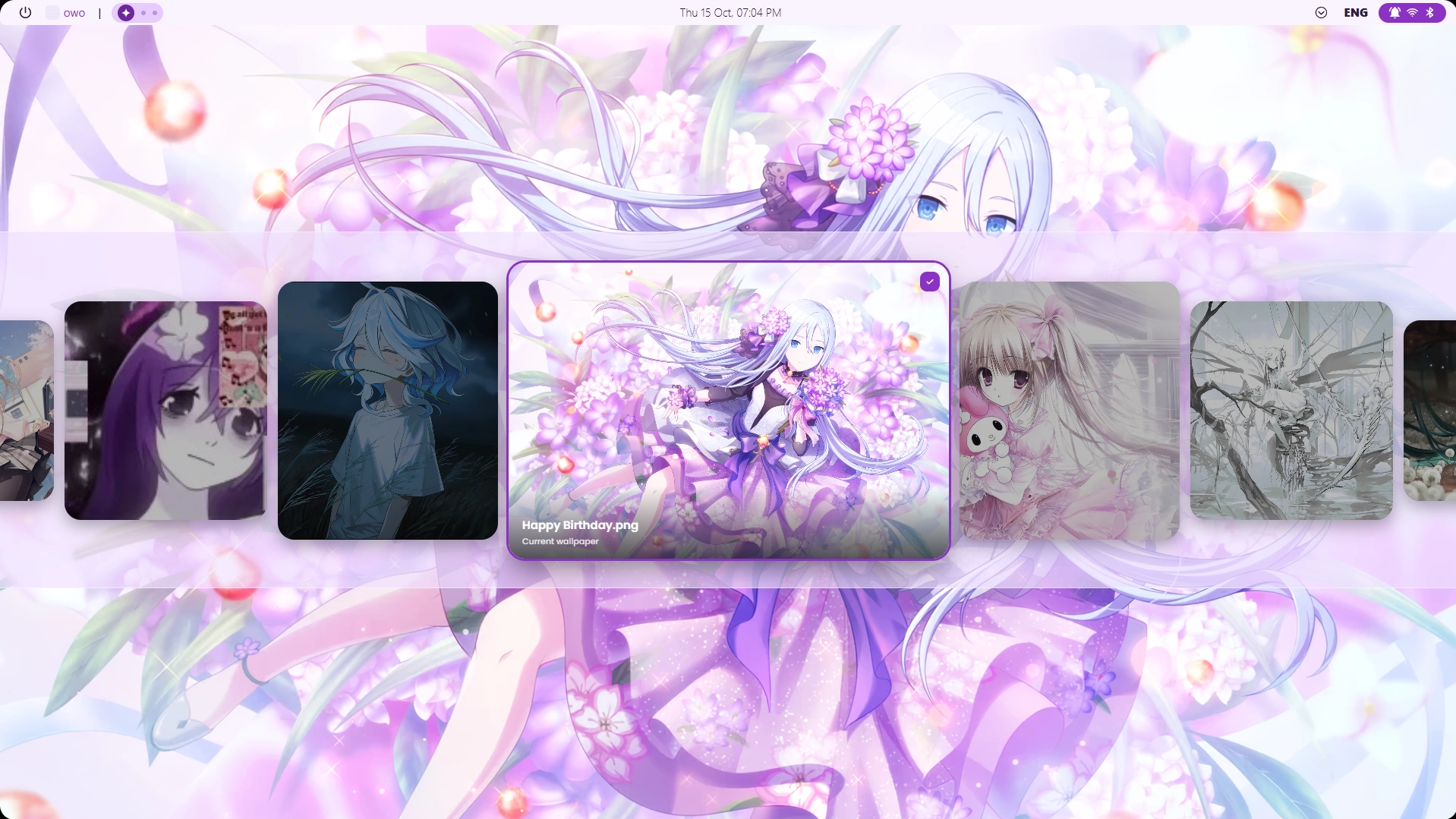
Description
Wallpaper picker with two modes: a compact popup window with a grid, or a full-width carousel. Open it via the hot edge in the top-right corner of the screen. The carousel also has hotkeys! C to center on your active wallpaper Home to jump to the start End to skip to the very end of the list.
How to use?
- Download and install Seelen UI
- Make sure the app is running
- Click the download button above
- Accept the browser prompt to open Seelen UI
- The app will handle the installation
- And that's all!
Compatibility
- Seelen UI: 2.8.9+
- Platform: Windows
Related Resources






Resource Information
- ID: fb6df0ab-41fd-41d1-b7f3-da58dbe528b0
- Type: Widget
- Status: Published
- Created At: Thursday, October 15, 2026 at 4:24:49 PM UTC
- Last Updated At: Thursday, October 15, 2026 at 4:39:39 PM UTC
- Reviewed At: Thursday, November 19, 2026 at 12:10:06 PM UTC
- Reviewed By:@eythaann