Screenshots
Description
Orbit Folders <3
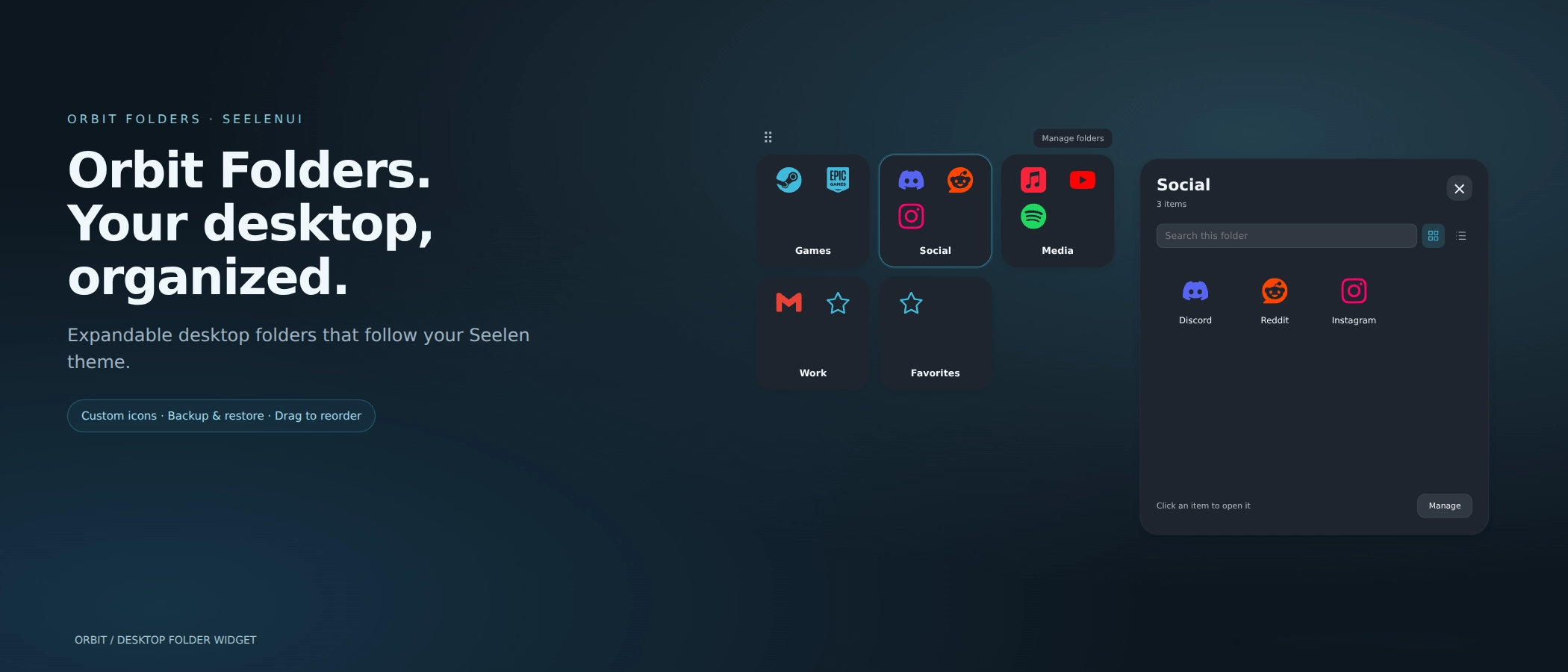
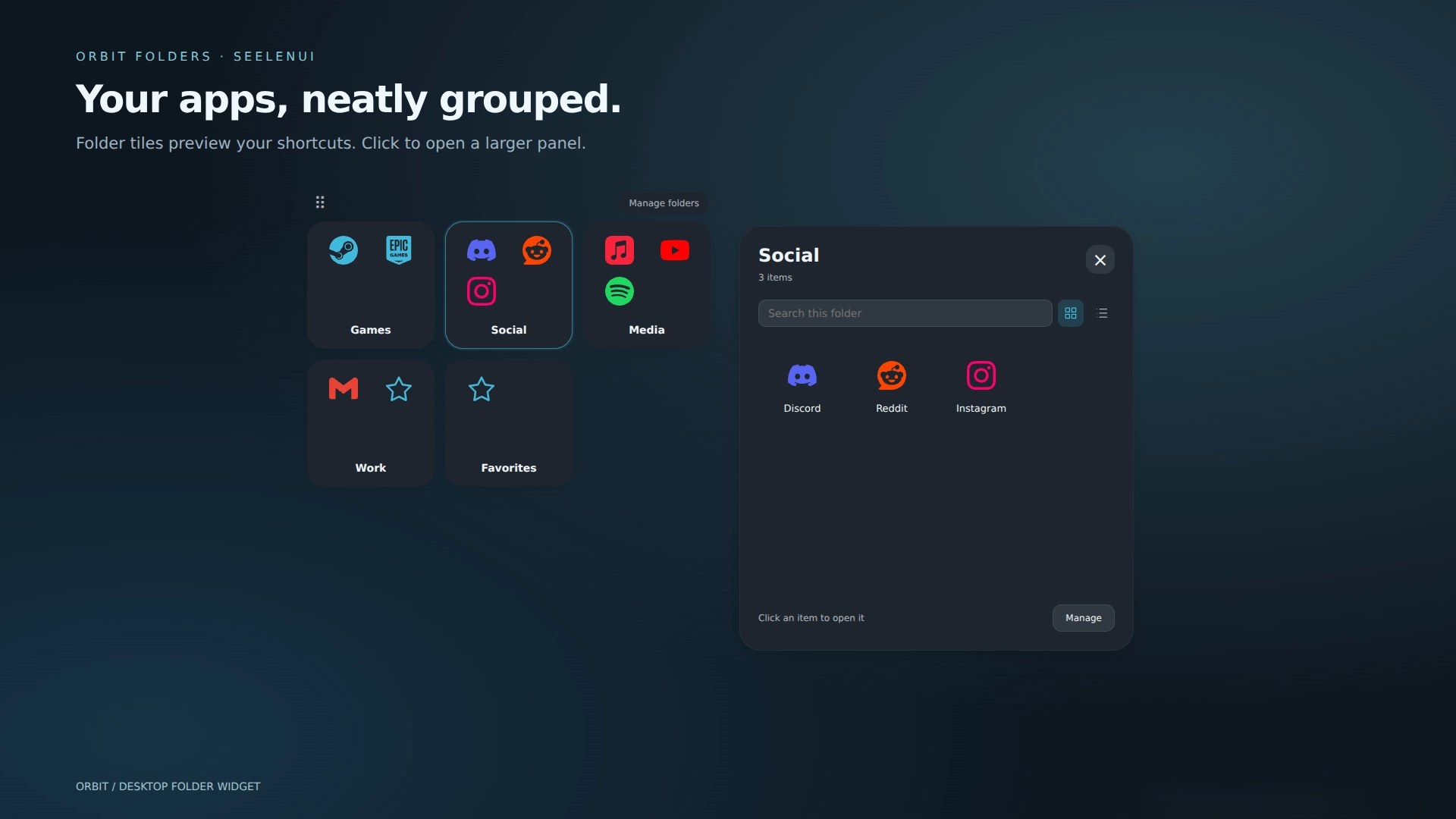
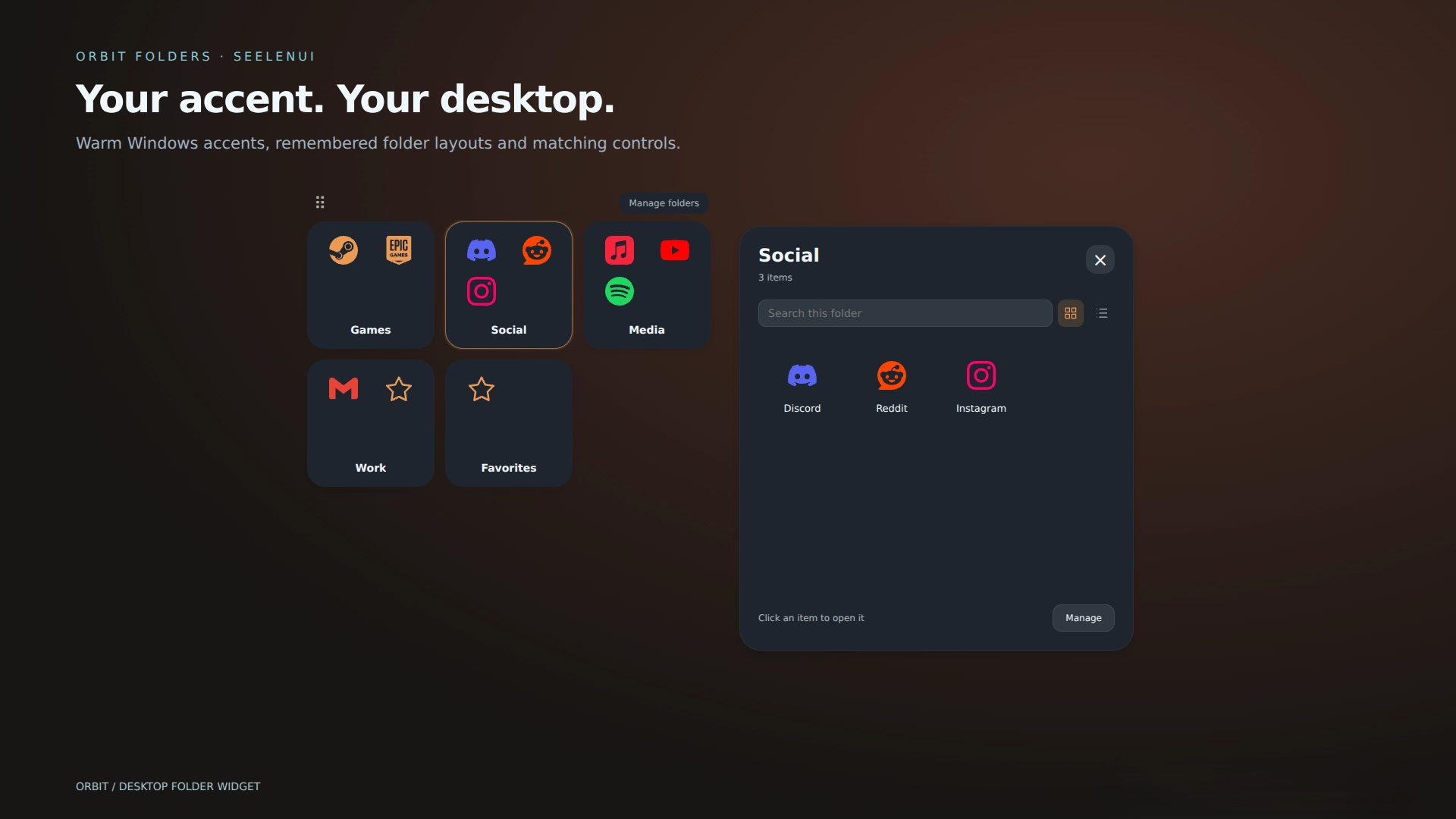
Tidy up your desktop and give it a little breathing room :) Orbit Folders groups your apps, games, websites and shortcuts into modern expandable folders, with smooth animations and colors that follow SeelenUI and your Windows accent.
Create as many folders as you need—all inside one customizable widget.
Features:
- Drag to reorder: arrange folder tabs and items visually, with a floating preview and insertion indicator.
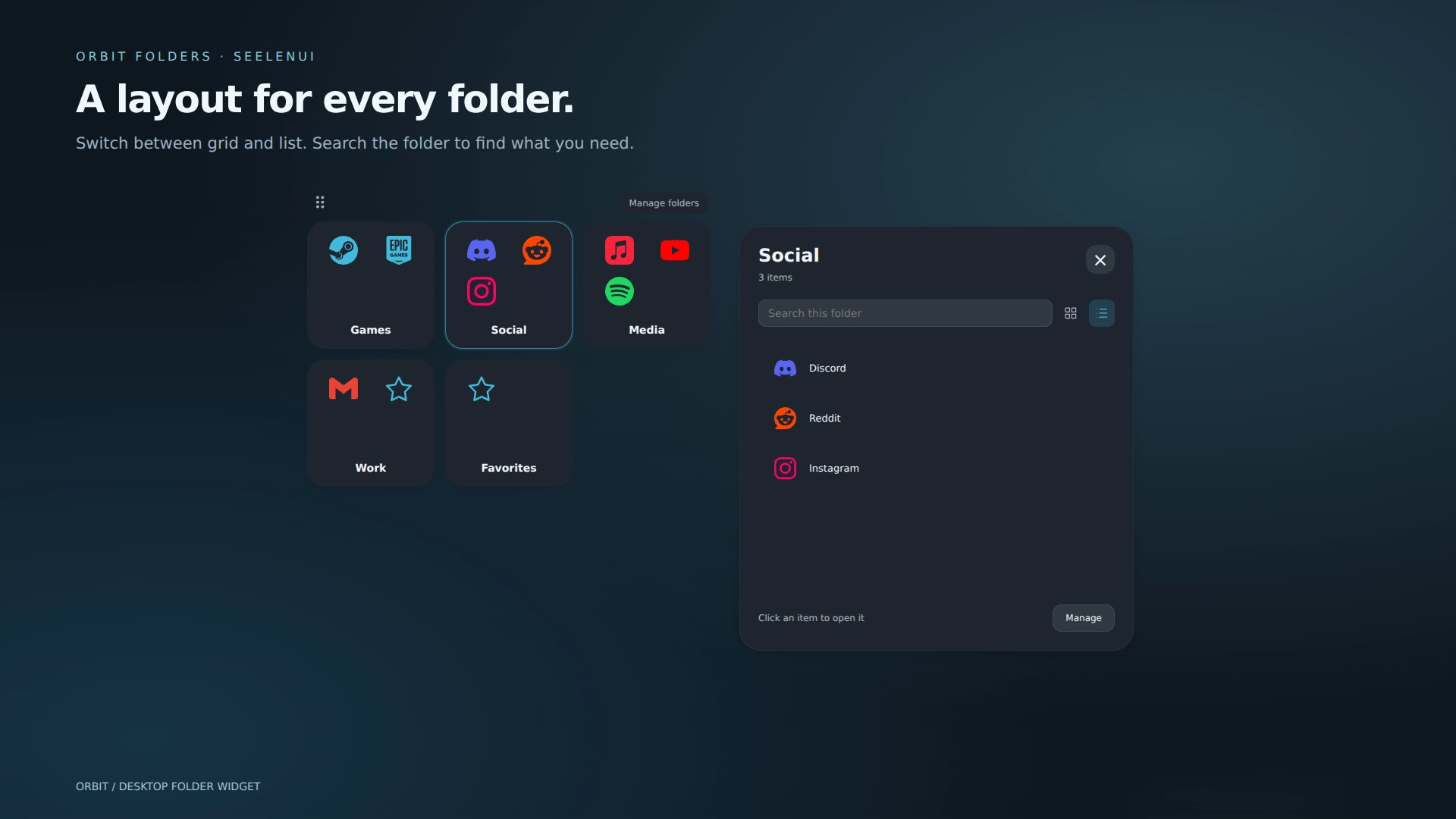
- Grid or list: each folder remembers its layout. Search inside a folder to find an item quickly.
- Expandable folders: four item previews or a custom cover icon, with smooth opening and closing animations. Click the folder again, press Escape, or click outside to close it.
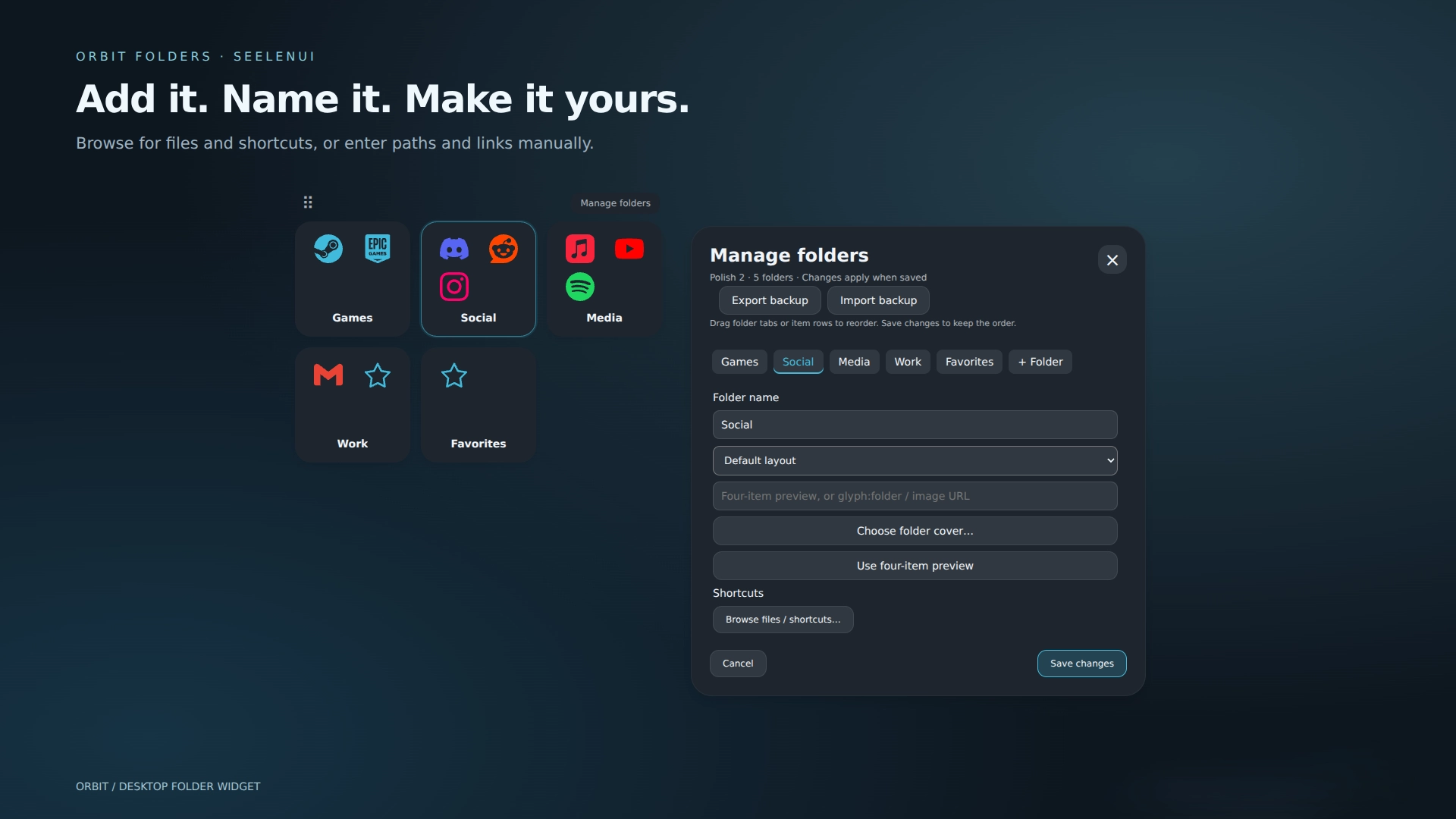
- Easy shortcut selection: browse for apps, files and shortcuts. Original browser-installed PWA shortcuts retain their names, icons and launch arguments.
- Web links and manual paths: add websites alongside local apps and files.
- Custom icons: choose a local PNG, ICO, JPEG or WebP, use an image URL or built-in symbol, preview the result, or reset to the original Explorer icon. Local images are embedded in your saved configuration.
- Right click actions: open, rename, change an item’s target or icon, and remove it from its folder.
- Easy management: add, rename and remove folders .. edit or remove items with buttons. Save applies your changes, Cancel discards them, and Undo recovers the most recent item removal in the editing session.
- Backup and restore: export folders, shortcuts, icons, covers, layouts and appearance settings to JSON.
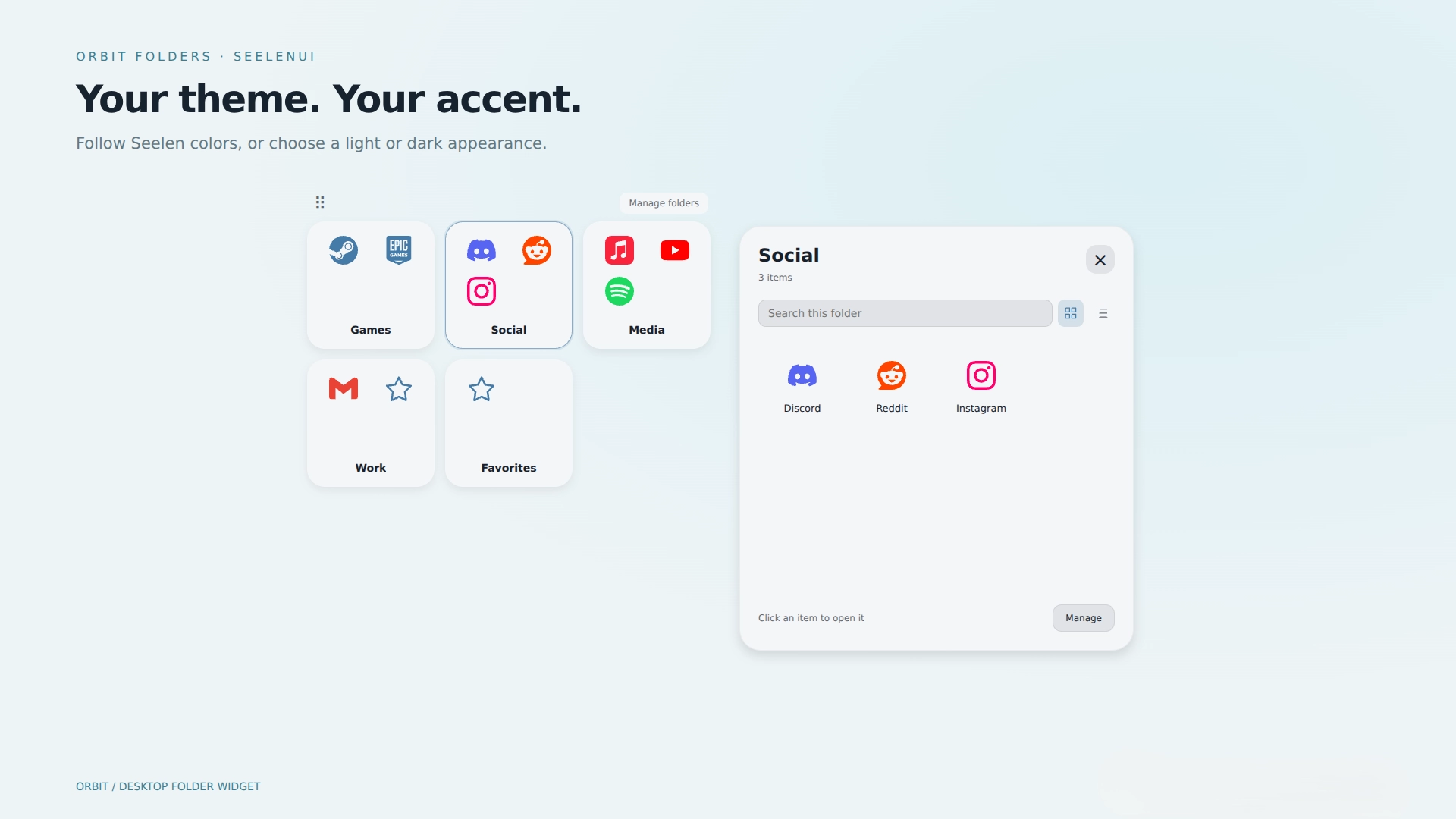
- Seelen appearance integration: follow Seelen’s theme and Windows accent, choose light or dark mode, or set a custom accent.
- Flexible sizing: customize tile size, folder columns, item columns, panel size, panel placement and font.
- Keyboard navigation: focus a tile or item with Tab, then use arrows or Home/End; Enter opens it and Escape dismisses menus or folders.
- Lock mode: hides management controls and the movement grip while keeping folders and shortcuts usable.
- Motion controls: turn animations off; reduced-motion preferences are respected.
- Multiple instances: create separate widget instances for different desktop arrangements.
Getting started :
Open Manage folders to create folders, browse for shortcuts and customize their contents. Choose local icons under an item’s "Edit" button. Export and import controls are at the top of Manage folders. Appearance, sizing, Lock and global folder cover options are in Seelen’s widget settings.
For a browser installed app, select its original .lnk shortcut (not the browser executable). Create a desktop shortcut from the browser if needed. The native shortcut picker and backup export use Windows PowerShell .. Seelen may ask for permission the first time.
Local custom images must be under 1 MB. Screenshots show the actual widget rendered in a browser preview with sample accents .. they are not Windows desktop captures.
Designed for SeelenUI 2.8.8 or later.
If you have a suggestion, or wanna request something for a future update, feel free to ask in the official SeelenUI Discord server: https://discord.com/invite/seelen-network-751144791596597561
How to use?
- Download and install Seelen UI
- Make sure the app is running
- Click the download button above
- Accept the browser prompt to open Seelen UI
- The app will handle the installation
- And that's all!
Compatibility
- Seelen UI: 2.8.8+
- Platform: Windows
Related Resources


Resource Information
- ID: ca4e2ea0-477e-457e-a8ac-d347a06cf0e6
- Type: Widget
- Status: Published
- Created At: Wednesday, October 7, 2026 at 10:01:03 AM UTC
- Last Updated At: Thursday, October 8, 2026 at 6:48:53 PM UTC
- Reviewed At: Thursday, October 8, 2026 at 6:48:53 PM UTC
- Reviewed By:@eythaann